
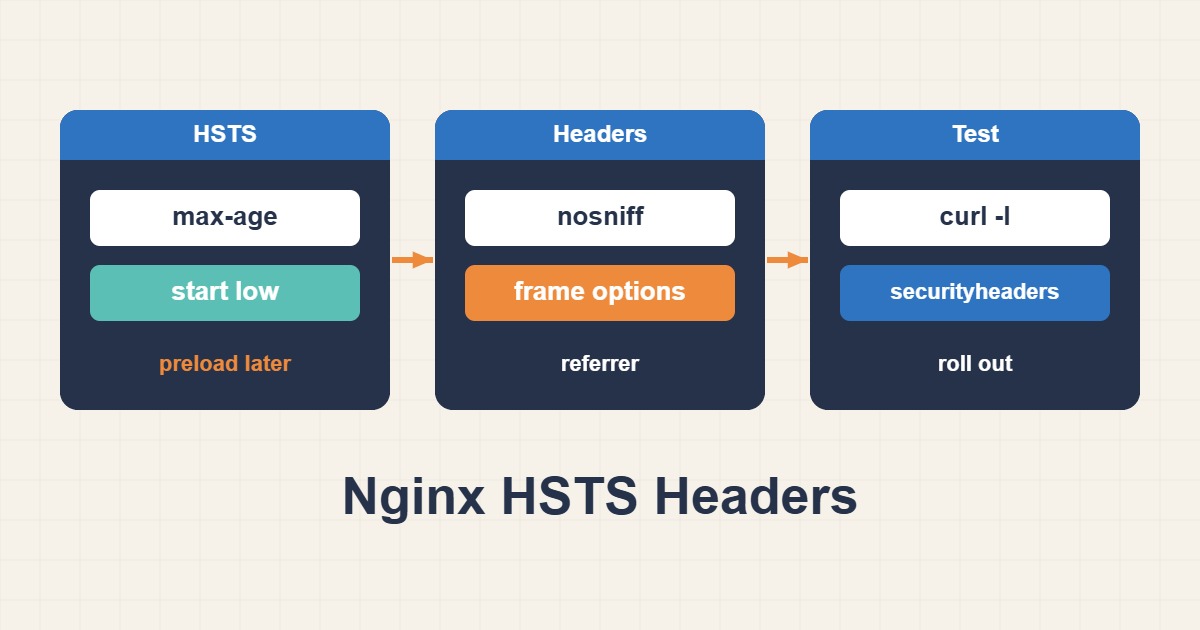
HSTS is one of the cheapest security wins you can add to an Nginx site, and one of the easiest to get wrong. The header tells browsers to use HTTPS only for your domain, which is exactly what you want until the day a certificate expires or a forgotten subdomain has no HTTPS at all. Then visitors cannot click through the warning, and they stay locked out until the policy expires. This guide shows how to enable HSTS and the other common security headers in Nginx step by step: test HTTPS first, start with a tiny max-age, raise it in stages, and verify every change with curl.
1. What HSTS does, and why it can lock people out
When a browser receives Strict-Transport-Security over a valid HTTPS connection, it remembers the domain for max-age seconds. During that time it rewrites http:// links to HTTPS before sending anything and refuses to let the user bypass certificate errors. That protects against downgrade and cookie-hijacking attacks, but it also means a broken certificate becomes a hard failure instead of a warning. You cannot undo the policy from the server for a visitor who is already locked out; the browser must reach you over working HTTPS and receive a new value.
2. Prerequisites before you send the header
- A valid certificate for every hostname that will carry the header. If you see trust errors, start with incomplete TLS chains, fullchain and SNI.
- Automatic renewal that you have actually tested. See Let’s Encrypt and Certbot renewal failures.
- No mixed content on the site, because HSTS makes insecure sub-requests fail loudly. For WordPress, read Fix WordPress Mixed Content After HTTPS.
- A working HTTP to HTTPS redirect.
curl -sI https://example.com | head -n 1
curl -sI http://example.com | grep -i -E '^(HTTP|location)'
The first request should return a 200 or a redirect, and the plain HTTP request should answer with a 301 and a Location header that points to HTTPS. If either is wrong, fix it before adding any header.
3. Start with a five-minute max-age
Add the header with a tiny lifetime. If something is wrong, visitors recover within five minutes:
add_header Strict-Transport-Security "max-age=300" always;The always parameter matters. Without it, Nginx adds the header only to successful and redirect responses, so a 404 or 500 page would not carry it. Browsers accept HSTS only from HTTPS responses and ignore it on plain HTTP, so put the line in the server block that listens on 443.
4. Raise max-age in stages
Increase the value only after the previous step has run cleanly for a while. A reasonable schedule is 300 seconds (five minutes), then 86400 (one day), 604800 (one week), 2592000 (thirty days), and finally 31536000 (one year). At each step, watch your error logs and your monitoring for certificate or redirect problems, and make sure certificate renewal has actually run at least once before moving to a long lifetime.
5. Add includeSubDomains only when every subdomain is ready
The includeSubDomains directive applies the policy to every subdomain of the host, including ones you forgot: a staging site, an old mail interface, an internal dashboard on a private name. If any of them cannot serve valid HTTPS, browsers will refuse to open it. List every subdomain in your DNS zone first, and enable the directive only when all of them have working certificates.
6. Preload is a one-way door
The preload list ships inside browsers, so the policy applies even on a visitor’s very first request. Listing requires a valid certificate, an HTTPS redirect, a max-age of at least one year, includeSubDomains and the preload token. Removal is possible but slow, because it has to travel through browser releases. Submit a domain only when you are certain every current and future subdomain will always support HTTPS.
7. Add the other common headers
A compact, low-risk set looks like this:
server {
    listen 443 ssl;
    server_name example.com www.example.com;

    add_header Strict-Transport-Security "max-age=86400" always;
    add_header X-Content-Type-Options "nosniff" always;
    add_header Referrer-Policy "strict-origin-when-cross-origin" always;
    add_header X-Frame-Options "SAMEORIGIN" always;

    location / {
        # an add_header here would replace ALL inherited headers
        try_files $uri $uri/ /index.php?$args;
    }
}
X-Content-Type-Options: nosniff stops browsers from guessing a file’s type. Referrer-Policy limits how much of the URL is sent to other sites. X-Frame-Options: SAMEORIGIN blocks other sites from framing your pages; if you need embedding, use the frame-ancestors directive of a Content-Security-Policy instead. These four headers rarely break a normal site, which is why they come before CSP.
8. Content-Security-Policy: report-only first
A strict CSP is powerful and easy to get wrong, especially on WordPress, where plugins add inline scripts and external resources. Never paste a strict policy into production. Start in report-only mode, which logs violations in the browser console without blocking anything:
add_header Content-Security-Policy-Report-Only "default-src 'self'; img-src 'self' data: https:; script-src 'self'" always;Browse the site with the developer console open, note what would have been blocked, adjust the policy, and only then switch to the enforcing header. Expect this to take days, not minutes, on a site with many plugins.
9. The add_header inheritance trap
Nginx inherits add_header directives from the enclosing level only if the current level defines none of its own. The moment a location block contains a single add_header, every header from the server block disappears for that location. That is why a header can show up on the homepage and vanish on a static file. Either repeat the full set in that location or move shared headers into an included snippet.
10. Verify every change
sudo nginx -t && sudo systemctl reload nginx
curl -sI https://example.com | grep -i -E 'strict-transport|x-content-type|referrer-policy|x-frame'
curl -sI https://example.com/does-not-exist | grep -i strict-transport
Run nginx -t before every reload, then check the headers on a normal page and on an error page. If a CDN or proxy sits in front of Nginx, request the public URL too, because the CDN may add, strip or duplicate the header.
11. Roll back if you must
You cannot remove HSTS from a browser remotely, but you can shorten it: serve max-age=0 over working HTTPS and each browser drops the policy the next time it visits.
add_header Strict-Transport-Security "max-age=0" always;Keep this line ready in your notes. It only helps visitors who can still reach a valid HTTPS page, which is another reason to start with a short lifetime.
12. Common mistakes
- Jumping straight to a one-year lifetime before testing renewal.
- Using
includeSubDomainsbefore checking every subdomain. - Putting
add_headerin a location block and silently dropping the others. - Forgetting
always, so error pages carry no headers. - Sending the header both from Nginx and from a CDN, which can create duplicates.
- Enforcing a CSP copied from another site without a report-only phase.
13. A worked rollout plan
This illustrative schedule is a plan, not a measured result. Week one: confirm HTTPS, redirects and renewal, then send max-age=300. Day two: raise to 86400 and watch the logs. Week two: raise to 604800. Week three: raise to 2592000 and add the other headers. Week four: start CSP in report-only mode and review violations. Only after renewal has succeeded in production, and every subdomain has been checked, move to 31536000. Consider preload last, if ever.
14. Check what a browser currently remembers
When you test, remember that your own browser keeps the policy. In Chrome you can open chrome://net-internals/#hsts to query a domain and to delete its entry, which is the quickest way to rehearse a rollback on your own machine. In other browsers, clearing the site’s data removes the stored policy. Use a private window or a second browser profile when you want to see the site the way a first-time visitor does.
There is also a first-visit gap. HSTS cannot protect the very first request a browser makes, because it has not seen the header yet; that request still goes out over HTTP and relies on your redirect. That is the gap preload closes, and it is why a clean redirect remains necessary even after HSTS is active.
15. Quick checklist
- Confirm valid certificates, working renewal and an HTTP to HTTPS redirect.
- Send
max-age=300withalwaysand verify it with curl. - Raise
max-agein stages and watch logs between steps. - Add
includeSubDomainsand preload only after checking every subdomain. - Add the other headers, repeating them in any location that sets its own.
- Introduce CSP in report-only mode first.
More server troubleshooting guides are collected in the article archive.
Official references
RFC 6797: HTTP Strict Transport Security · MDN: Strict-Transport-Security · Nginx ngx_http_headers_module · HSTS Preload List