
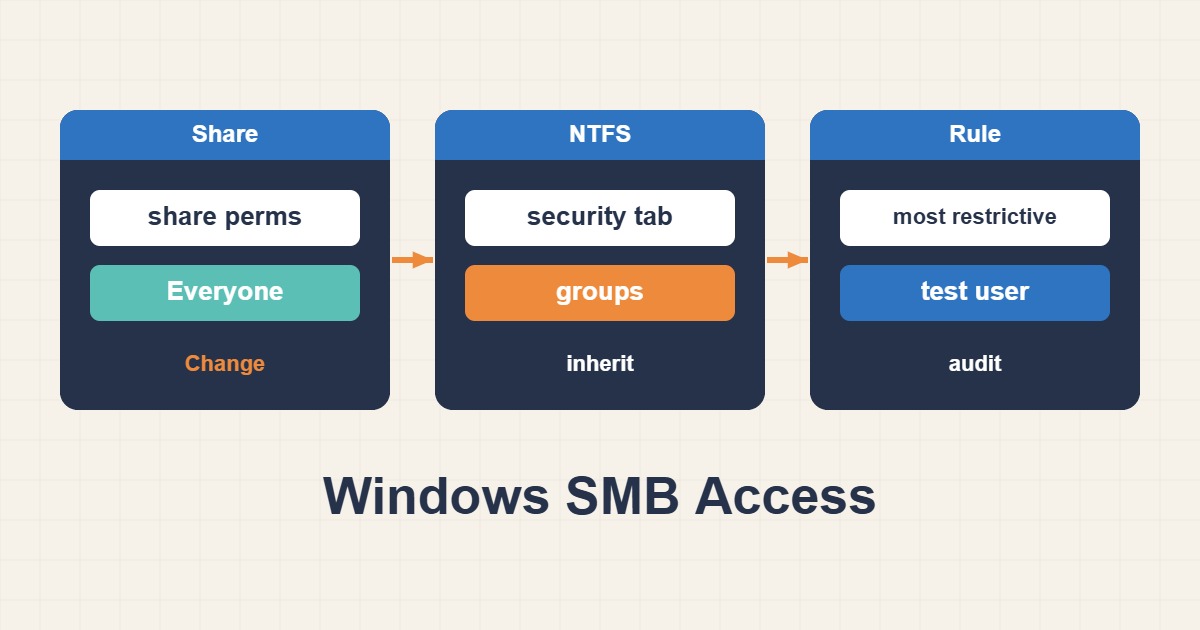
Local access to a server folder does not prove the same user can access it over SMB. Network access is evaluated through both share permissions and filesystem ACLs, so the required operation must be permitted by both layers. Do not treat Access Denied as a reason to enable guest access, grant Everyone full control or disable signing. Identify the user and the failing layer first.
1. Confirm session identity and failure type
Test from the client as the affected ordinary user, not an unrelated administrator session. whoami and Get-SmbConnection help distinguish local identity from the network connection. Cached credentials or an old session may use another account. DNS, domain, Kerberos, signing and encryption failures are not automatically ACL faults. Do not disconnect every user connection indiscriminately; recreate only the relevant test session according to policy.
# Client PowerShell
whoami /user
whoami /groups
Get-SmbConnection | Select-Object ServerName,ShareName,UserName,Dialect
2. Read the share path and its permissions
Run these read-only commands on the file server with authorized access. Data is a sample share name. Inspect its actual path before checking a folder: a UNC path or DFS referral may reach another target. Full share access does not override restrictive NTFS permissions, and share Read can block writing even when NTFS grants Modify. Interpret permissions against the operation being attempted, not merely whether the username appears.
# Server PowerShell
Get-SmbShare -Name Data | Select-Object Name,Path
Get-SmbShareAccess -Name Data
3. Inspect NTFS ACLs and inheritance
Replace the sample path with the share’s actual path. Group membership, deny entries, inherited permissions and child-folder ACLs can alter the result. A visible parent folder may contain unreadable files. Use Windows Effective Access for the target identity where applicable. Access-Based Enumeration hides unauthorized folders rather than granting access. Ownership is not itself the same as permission to read or modify file contents.
# Server: read existing ACLs without resetting them
Get-Acl -LiteralPath 'D:\Shares\Data' | Format-List Owner,AccessToString
icacls 'D:\Shares\Data'
4. Make the smallest reviewed group-based change
Once the failing layer is identified, use a specific security group for read or modify access. Ordinary users usually do not need to change ACLs or ownership, so Full Control should not be the default. Apply suitable share and folder permissions through your access-management procedure and record the previous ACLs and memberships. A recursive icacls /reset or ownership takeover can damage the security design of the entire tree.
5. Test permitted and denied identities
After refreshing the relevant token or session, test reading and approved operations on a disposable file as the target user. A failed write is correct for a read-only user. Verify denial with an identity outside the authorized group too. Token refresh may require a new login; repeated ACL edits are not the remedy. On regression, reverse only the recorded change. Acceptance requires the intended operation through both layers and continued denial of unnecessary access, without guest access or weakened protocol security.