
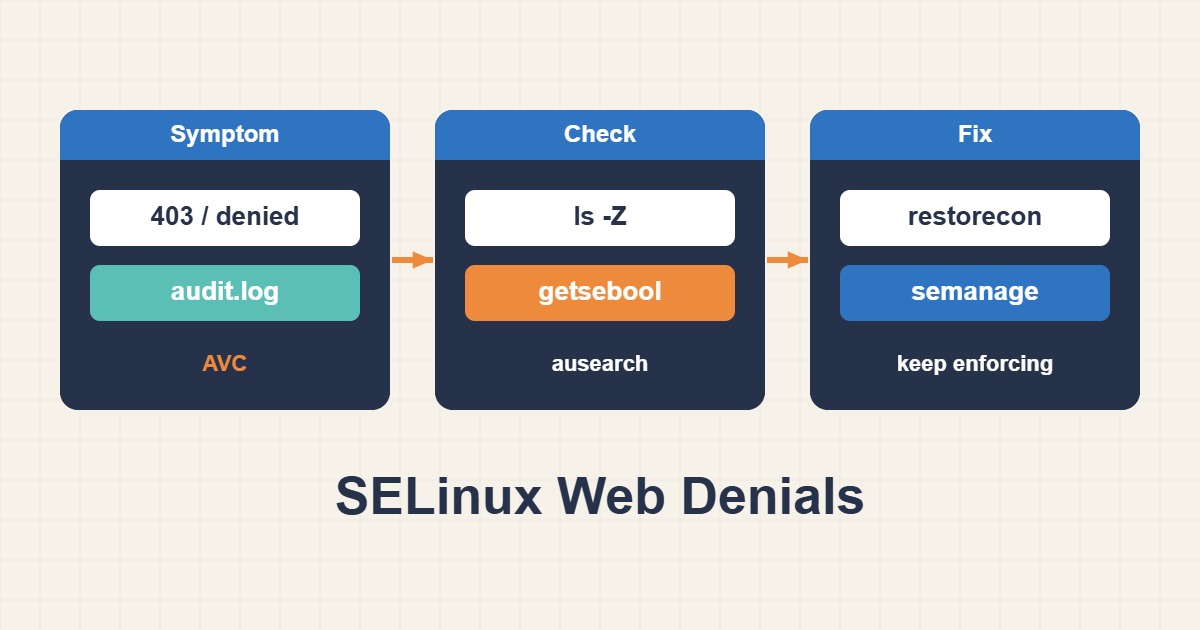
A web application may still receive Permission denied after ownership and Unix permissions look correct. SELinux adds a separate access-control decision. Instead of disabling that protection, connect the failed request to an audit record, identify the exact resource and repair the smallest justified label or policy mismatch.
Scope and security boundaries
The procedure targets RHEL-compatible systems such as Rocky Linux and AlmaLinux with SELinux enabled. Other distributions may use different policies or AppArmor instead. Replace /srv/r89-web with the actual document root and record existing local fcontext rules before editing them.
A 403 can originate from application authorization, a missing index, parent-directory permissions or ACLs. A Permission denied message is not automatically an SELinux denial. Start with one reproducible request and a timestamp; broad chmod or chown changes make evidence harder to interpret.
1. Collect evidence before changing policy
Inspect enforcement mode, process domain and file labels independently. Reproduce the failure once, then inspect audit entries for the matching time window. The source context, target context, resource class and denied operation identify the blocked access.
matchpathcon compares current labels with the policy’s expected labels. An absence of AVC records is not conclusive proof that SELinux is uninvolved, but it is not a reason to manufacture a policy module either. Read the actual Nginx/PHP process domains rather than assuming every installation uses httpd_t.
getenforce
ps -eZ | grep -E "nginx|httpd|php-fpm"
ls -Zd /srv/r89-web /srv/r89-web/index.html
matchpathcon -V /srv/r89-web/index.html
sudo semanage fcontext -l -C
sudo ausearch -m AVC,USER_AVC -ts recent -i
2. Apply a persistent label to the correct path
For read-only web content, the example records an httpd_sys_content_t mapping. semanage fcontext stores a persistent local rule; restorecon applies it to existing files. A one-off chcon command does not replace that persistent mapping.
If the same path expression already has a local rule, review it first: -a will fail on an existing rule. Use -m only when deliberately modifying that exact mapping. Separate writable application directories; a narrowly scoped upload directory may need httpd_sys_rw_content_t, but the whole document root should not become writable by the web domain.
# Example: reviewed read-only web root; adapt the path first.
sudo semanage fcontext -a -t httpd_sys_content_t "/srv/r89-web(/.*)?"
sudo restorecon -Rv /srv/r89-web
matchpathcon -V /srv/r89-web/index.html
3. Do not guess at booleans or policy modules
A denied network connection is not fixed by relabeling a file. Inspect relevant booleans with getsebool and compare the application requirement with distribution policy. Enabling httpd_can_network_connect generally allows broader network activity than one destination, so it is not a default cure for PHP errors.
Do not automatically install audit2allow output. First rule out incorrect labels, ordinary permission errors, service misconfiguration and unexpected application behavior. A module generated from an unreviewed batch of denials can authorize unrelated operations or behavior associated with a compromise.
Acceptance, rollback and prevention
Repeat the same request with an authorized and an unauthorized identity. Public content should be readable while private data and upload paths retain their intended restrictions. The matching AVC should stop recurring and SELinux must remain enforcing.
If verification fails, remove only the new local rules or restore the recorded prior mapping, then run restorecon on that same path. Do not reset system-wide policy. Include persistent mappings in deployment procedures so new releases do not reintroduce incorrect labels. Redact private paths and account information before sharing audit logs.
Related reading
- Fix Nginx Permission Denied and 403 Errors
- Actionable Prometheus Alerts and Alertmanager Verification