
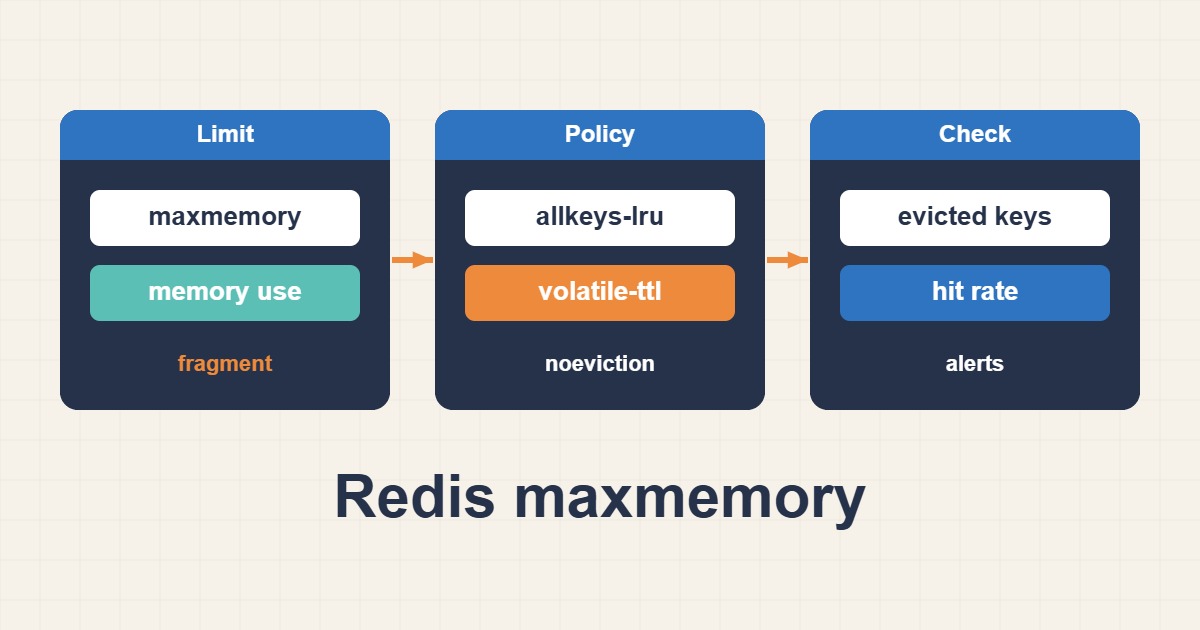
That distinction matters for rebuildable caches versus critical queues or sessions. Choose policy from data semantics, not simply to make an OOM message disappear.
Scope and prerequisites
Preserve ACLs and secure connectivity; never expose Redis publicly for troubleshooting. The 512mb example is for an isolated cache and needs sizing. maxmemory is not a hard process-RSS cap: overhead, fragmentation and persistence/replication buffers need additional headroom. Prefer separating critical storage from expendable cache data.
1. Collect evidence
Read memory and stats at two timestamps. used_memory, RSS, evicted_keys and hit/miss counters describe different aspects. Convert cumulative counters into interval rates. Derive hit ratio from changes in hits and misses over the same window; lifetime totals can hide a current failure.
redis-cli INFO memory
redis-cli INFO stats
redis-cli CONFIG GET maxmemory
redis-cli CONFIG GET maxmemory-policy
2. Make a controlled change
For rebuildable caches, allkeys-lru or allkeys-lfu can be candidates. volatile-lru evicts only keys with TTL; without eligible keys it behaves like noeviction. noeviction preserves keys but rejects certain writes. Apply the runtime change below only after validating data semantics and available capacity.
# Isolated, rebuildable cache ONLY; size from measured host capacity.
redis-cli CONFIG SET maxmemory 512mb
redis-cli CONFIG SET maxmemory-policy allkeys-lru
3. Verify the outcome
Under representative load, check write errors, latency and eviction rate. Heavy eviction with misses can overload the database. Losing queues or sessions is not an acceptable hit-ratio optimization. CONFIG SET may not survive restart; update the declarative configuration, config file or managed-service control plane as appropriate.
redis-cli INFO commandstats
redis-cli INFO stats
redis-cli INFO memory
Rollback and prevention
Record original values for rollback; restoring policy cannot resurrect evicted keys. FLUSHALL and deleting persistence files are not memory-diagnosis tools. Alert on rejected writes, RSS growth and falling hit ratio. Appropriate TTLs and workload separation are often safer than endlessly increasing maxmemory.
Technical references
For related checks in this workflow, see Limit Service CPU and Memory with systemd and cgroups and Read MySQL EXPLAIN ANALYZE and Choose Useful Indexes.