
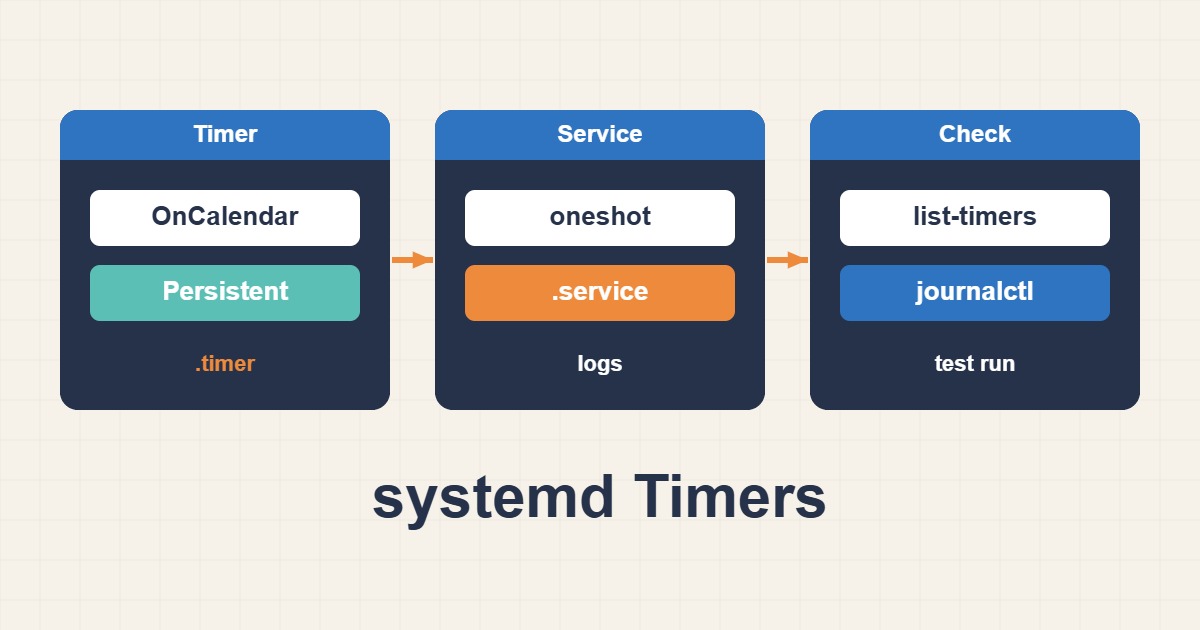
systemd timers separate scheduling from execution. This guide builds an auditable Linux maintenance job, distinct from WordPress’s traffic-driven WP-Cron.
Scope and prerequisites
Create /usr/local/sbin/site-check first; it must return meaningful exit codes and require no interactive input. Provision the siteops account with only necessary permissions. Make the task idempotent so a repeat does not duplicate changes. Record the systemd version and verify the host’s clock and timezone.
1. Collect evidence
Run the command manually as the same account first. PATH and working-directory differences explain many scheduler-only failures. list-timers shows previous and next triggers, not successful completion. Read the associated service journal and Result property before assuming the job ran correctly.
systemctl list-timers --all
sudo -u siteops /usr/local/sbin/site-check
2. Make a controlled change
Create the two files under /etc/systemd/system/. The example runs daily at 02:00 in the system’s timezone. Persistent enables a catch-up trigger after activation for a missed calendar run, not a replay of every missed occurrence. RandomizedDelaySec spreads fleet load; it deliberately makes start time less exact.
# site-check.service
[Unit]
Description=Site maintenance check
[Service]
Type=oneshot
User=siteops
ExecStart=/usr/local/sbin/site-check
TimeoutStartSec=5min

# site-check.timer
[Unit]
Description=Daily site maintenance check
[Timer]
OnCalendar=*-*-* 02:00:00
Persistent=true
RandomizedDelaySec=5min
[Install]
WantedBy=timers.target
3. Verify the outcome
Validate the calendar expression, run the service manually and inspect its result before enabling the timer. Set an appropriate TimeoutStartSec for long jobs. An active timer does not start another instance of an already-active service, but overlapping manual scripts or other schedulers still require separate coordination.
systemd-analyze calendar "*-*-* 02:00:00"
sudo systemctl daemon-reload
sudo systemctl start site-check.service
systemctl show site-check.service -p Result -p ExecMainStatus
journalctl -u site-check.service -n 50
sudo systemctl enable --now site-check.timer
Rollback and prevention
Rollback by disabling and stopping the timer; that does not necessarily stop a running service. Remove the old scheduler only after validation to avoid duplicate runs or gaps. Alert on last successful completion, exit status and runtime rather than timer activation alone.
Technical references
For related checks in this workflow, see Persistent journald Logs and Safe Retention on Linux and Limit Service CPU and Memory with systemd and cgroups.