
Short answer
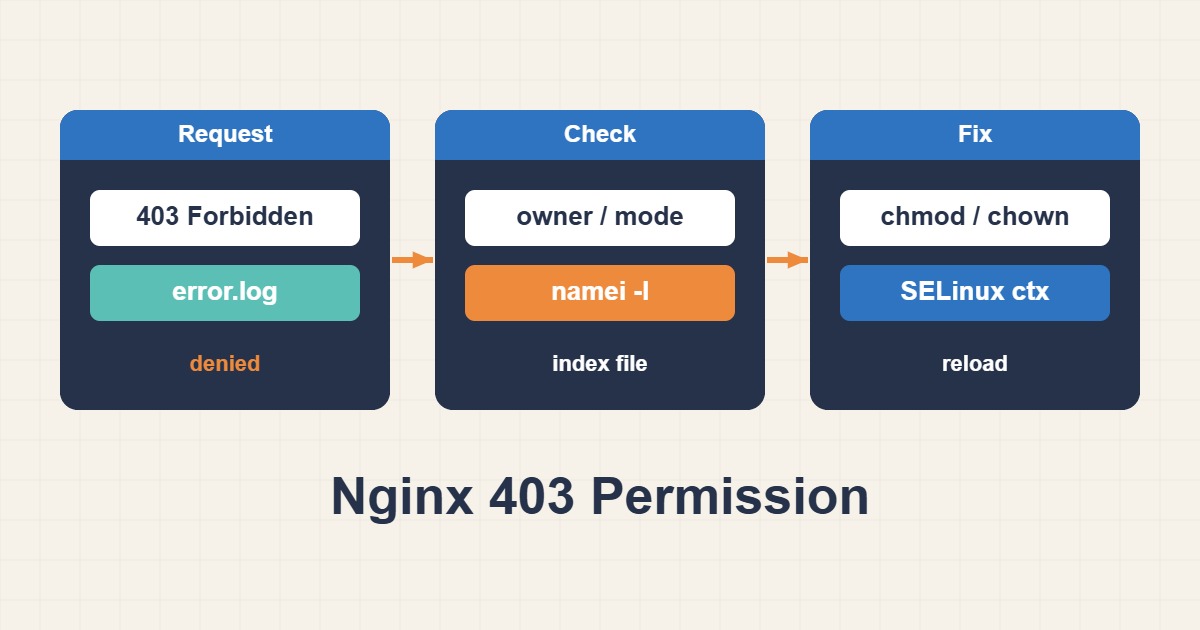
Nginx 403 and Permission denied errors are not always caused by the final file mode. Workers need traverse permission on every parent directory, while SELinux or AppArmor, PHP-FPM socket ownership, root versus alias mapping, and missing index files can also deny access. Avoid chmod 777; identify the worker user and first failing operation from the error log.
Read the exact error log message
open() failed (13: Permission denied), directory index forbidden, and Unix-socket connect failures point to different layers.
tail -f /var/log/nginx/error.log
nginx -T | grep -nE "user |root |alias |fastcgi_pass"
Check the worker user and every path component
Use namei to inspect each directory. A readable file remains unreachable when a parent directory lacks execute permission.
ps -o user,group,cmd -C nginx
namei -l /var/www/example/public/index.php
sudo -u www-data test -r /var/www/example/public/index.php && echo readable
Distinguish root from alias
With alias, the matching location prefix is replaced. A missing slash can map the request to an unintended path.
location /downloads/ {
    alias /srv/files/;
    autoindex off;
}
Verify PHP-FPM socket access
Nginx needs permission on the FastCGI socket. Align the pool listen owner, group, and mode with the web-server user.
ls -l /run/php/php-fpm.sock
grep -E "^listen\.(owner|group|mode)" /etc/php/*/fpm/pool.d/*.conf
Change SELinux or AppArmor only from evidence
Inspect denial logs and create the narrowest policy. Disabling mandatory access control globally is not a durable fix.
ausearch -m AVC -ts recent 2>/dev/null
journalctl -k | grep -i "apparmor\|denied"
Practical checklist
- Save the exact error-log message.
- Identify the Nginx worker user.
- Inspect every parent directory with namei.
- Check root, alias, and the PHP socket.
- Run nginx -t and retest the URL.
Frequently asked questions
Should I use chmod -R 777?
No. It greatly expands the attack surface and may only hide the real ownership or policy error.
Why does a 644 file still return 403?
A parent directory may lack traverse permission or a mandatory-access policy may deny it.
Why does 403 affect only PHP?
Static access may work while the FastCGI socket or resolved script path remains inaccessible.
How to verify the fix
The valid URL should return 200 while a deliberately protected file still returns 403. No new permission denial should appear in the error log, and static and PHP requests must pass independently.
Risks and rollback
Save ownership, ACL, and configuration state before changing them. Roll back by restoring the previous owner, mode, or ACL and reloading Nginx. Do not disable SELinux or AppArmor globally.
Anonymized field scenario
After a migration, files were 644 but a parent under /home lacked traverse permission for the web user. A narrow ACL fixed the 403 without exposing the tree through 777.
Related guides
Official documentation
{L[8]}: {DATE}
Conclusion
Confirm the cause from logs and metrics, change one variable, and measure again under representative load.