
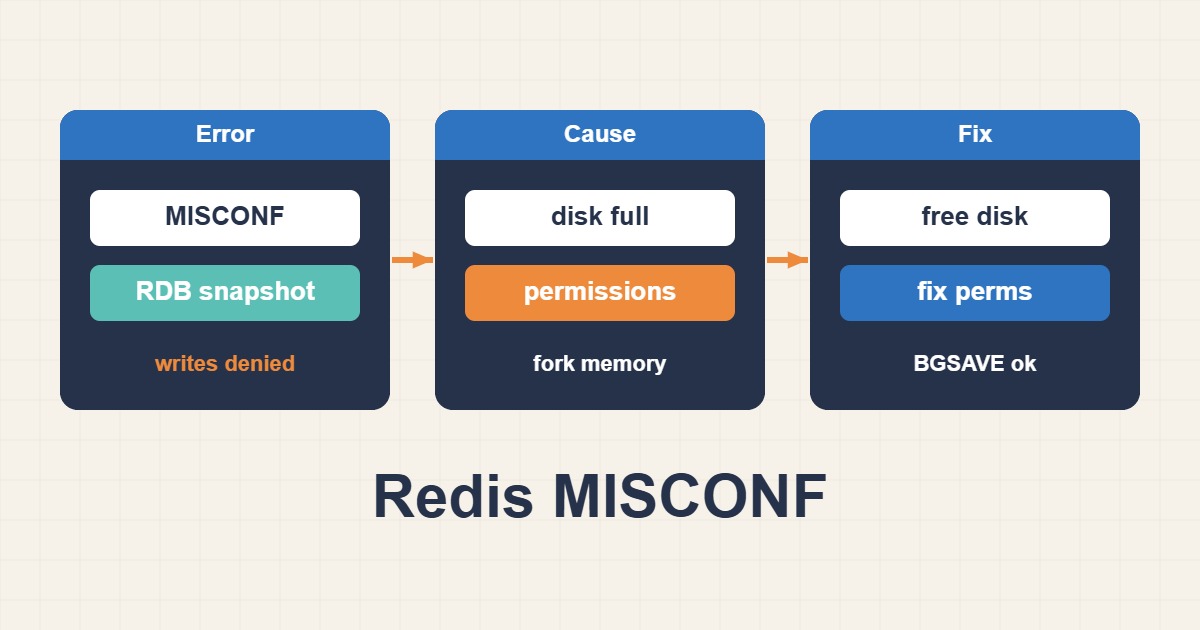
Redis MISCONF commonly blocks writes when an RDB snapshot cannot be saved and stop-writes-on-bgsave-error is enabled. Disabling that safeguard before identifying the failure can hide a serious data-loss risk.
Read the persistence status and exact error
Capture last_bgsave_status, the previous save time, configuration, and service logs first.
redis-cli INFO persistence
redis-cli CONFIG GET dir dbfilename stop-writes-on-bgsave-error
journalctl -u redis-server --since "30 min ago"
Check disk, inodes, and permissions
The target directory needs free space and correct ownership for the Redis user. Check read-only mounts and I/O errors too.
df -h
df -i
namei -l /var/lib/redis/dump.rdb
mount | grep /var/lib/redis
Evaluate memory and fork failures
BGSAVE creates a child process. Memory pressure, unsuitable overcommit settings, or OOM events can prevent a snapshot.
free -h
sysctl vm.overcommit_memory
journalctl -k | grep -i "oom\|redis"
Test BGSAVE after fixing the cause
Run a snapshot and confirm success in INFO and logs before reopening normal write traffic.
redis-cli BGSAVE
sleep 2
redis-cli INFO persistence | grep -E "rdb_last_bgsave_status|rdb_last_save_time"
Do not disable protection casually
Setting stop-writes-on-bgsave-error to no is an emergency risk decision, not a repair. Establish backups, replication, and acceptable data loss first.
redis-cli CONFIG SET stop-writes-on-bgsave-error yesPractical checklist
- Save INFO persistence and relevant logs.
- Check free disk space and inodes.
- Verify ownership and mount mode.
- Inspect memory and OOM events.
- Confirm a successful BGSAVE before restoring traffic.
Frequently asked questions
Will restarting Redis fix it?
It may change the symptom temporarily, but disk, permission, or memory failures will recur.
Should I delete dump.rdb?
Not without a backup and recovery plan; it may be the last usable snapshot.
When can I disable write protection?
Only as a deliberate incident decision with understood persistence and recovery risks.
Related guides
Official documentation
{labels[4]}: {DATE}
Conclusion
Back up before deleting or changing data, confirm the cause from metrics and logs, and test the smallest reversible change in staging first.