
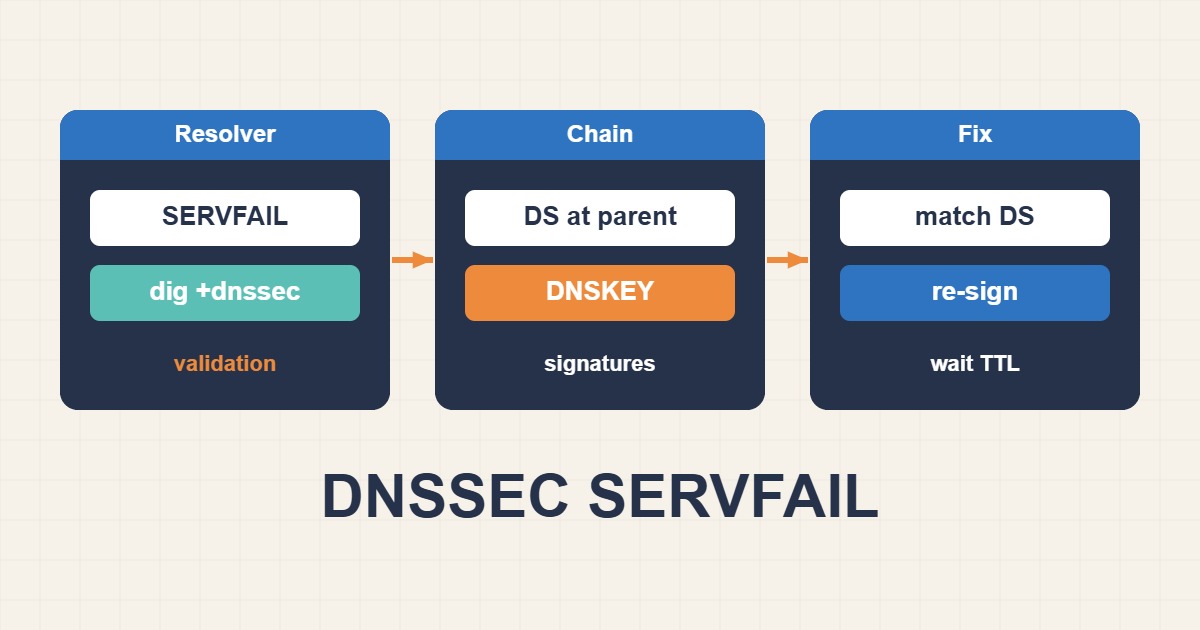
SERVFAIL is a generic failure, but on a DNSSEC-enabled domain it often means the resolver could not validate the signed answer back to the root. The fault may be a stale DS at the registrar, a missing DNSKEY, an expired signature, an unsupported algorithm, or inconsistent authoritative servers. Disabling DNSSEC blindly reduces protection and may not restore service quickly.
Distinguish SERVFAIL from NXDOMAIN
NXDOMAIN says the name does not exist; SERVFAIL says the resolver could not produce a valid answer. Test multiple validating resolvers, then compare a normal query with Checking Disabled. If +cdflag returns data while normal validation fails, DNSSEC is the primary suspect.
dig example.com A @1.1.1.1 +dnssec
dig example.com A @8.8.8.8 +dnssec
dig example.com A +dnssec +cdflag
dig +trace example.com A
Match the parent DS to the active DNSKEY
The DS in the parent zone must be derived from an active KSK in the child zone. Moving DNS providers while leaving the old DS at the registrar is a classic outage. Compare key tag, algorithm, and digest type.
dig example.com DS +dnssec
dig example.com DNSKEY +dnssec
delv example.com A
# Generate a reference digest from a key file
dnssec-dsfromkey -2 Kexample.com.+013+12345.key
Check RRSIG validity and system time
Signatures have inception and expiration timestamps. Clock drift on the signer, failed resigning, or delayed zone propagation can produce Not Yet Valid or Expired signatures. Verify NTP, resign if needed, and compare SOA serials on every authoritative server.
dig example.com A +dnssec +multiline
timedatectl status
chronyc tracking
dig example.com SOA @ns1.example.net
dig example.com SOA @ns2.example.net
Detect inconsistent authoritative servers
One stale server can make failures appear intermittent. Query every NS directly for SOA, DNSKEY, and the affected record. Also test EDNS size: firewalls that drop fragmented UDP or large DNS responses can imitate validation trouble.
dig example.com NS +short
dig example.com DNSKEY @ns1.example.net +dnssec
dig example.com DNSKEY @ns2.example.net +dnssec
dig example.com A +dnssec +bufsize=1232
Perform key rollover with overlap
For a KSK rollover, publish the new DNSKEY first, wait for relevant TTLs, add the new DS at the registrar, confirm it is visible in the parent, and only then retire the old key. Removing the old key too early breaks the chain of trust.
Allow caches to converge after the fix
DS and DNSKEY TTLs control how quickly validators see the repair. Flush caches you control, but public resolvers may retain earlier data until TTL expiry. Validate from multiple networks and resolvers before declaring recovery.
sudo resolvectl flush-caches
sudo rndc flushname example.com
dig example.com A @1.1.1.1 +dnssec
DNSSEC recovery checklist
- Reproduce SERVFAIL through more than one resolver.
- Use +cdflag to isolate validation failure.
- Compare parent DS with child DNSKEY.
- Check RRSIG times, NTP, and SOA serials.
- Query every authoritative server directly.
- Use overlap and TTL-aware timing during rollover.
Frequently asked questions
Should I delete the DS to restore service?
It can be an emergency option, but parent-zone propagation and caches still take time, and validation protection is removed. Repairing the correct chain is preferable when possible.
Why does the site work for some users only?
Resolvers have different caches and validation policies, or one authoritative server is serving stale data.
Does DNSSEC stop DDoS attacks?
No. DNSSEC authenticates DNS data; availability and DDoS mitigation require separate controls.