
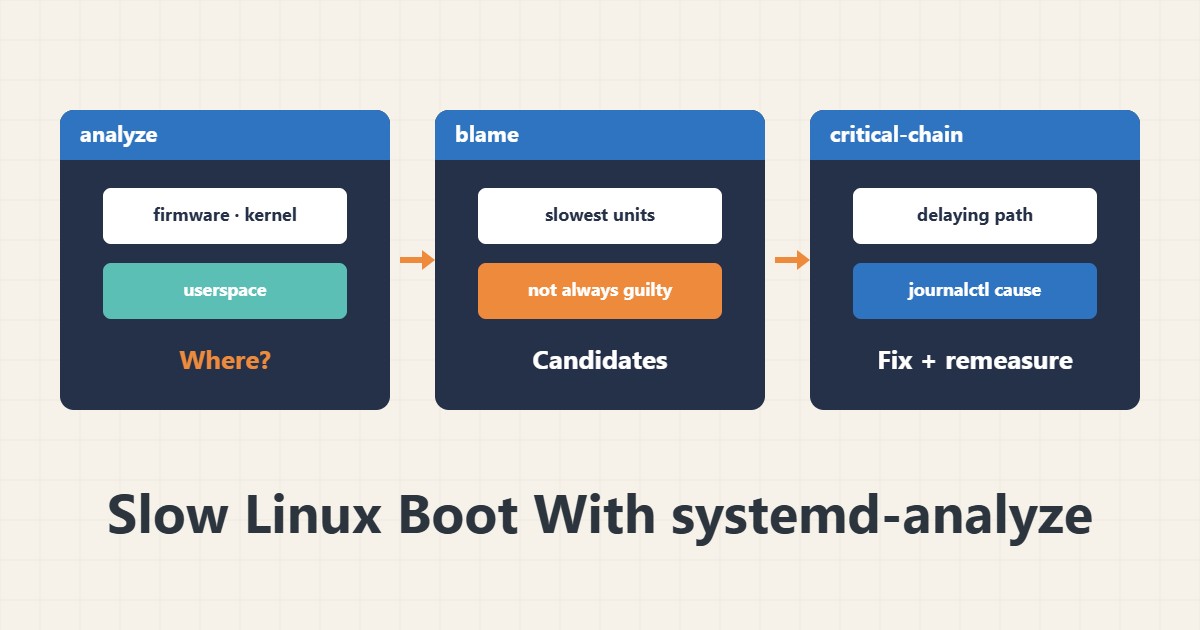
If rebooting a Linux server takes longer than before, first find out where the time goes. The systemd-analyze tool measures boot time and shows slow services. What matters is telling a slow service from one that is waiting on a dependency.
1. Total boot time
systemd-analyze
systemd-analyze time
The output splits time into firmware, loader, kernel and userspace. If a large part is firmware or kernel, the cause is hardware or drivers and services are not to blame. If userspace is large, look at the services.
2. Slow services
systemd-analyze blame | head -15This list sorts services by start-up time. Note that a long time is not necessarily guilt. A service waiting for the network or disk also counts the waiting time, and others may run in parallel.
3. The critical chain
systemd-analyze critical-chainThis command shows which chain of services delayed boot. Only items on this chain lengthen boot. A slow service outside the chain usually does not matter.
4. Common causes and fixes
Common causes: waiting for the network (such as wait-online), a network mount that does not answer, or a large file system being checked. Do not disable a service blindly. First read the cause in the logs with journalctl and review your mount settings in fstab.
5. Change and measure again
After each change, restart and run systemd-analyze again so you see the effect in numbers. For service management see the systemd guide. Record changes so you can roll them back.
6. Illustrative example, not a measurement
Suppose a server took two minutes to boot. critical-chain showed the chain was waiting on a network mount that was unreachable. After correcting the mount option and adding a suitable timeout, boot got shorter. This scenario is an invented illustration, not a measurement.
7. Common mistakes
- Disabling a service only because it is first in blame.
- Ignoring the difference between blame and critical-chain.
- Changing several things and not measuring again.
- Forgetting network mounts in fstab.
8. Frequently asked questions
How do blame and critical-chain differ? blame is each service’s time; critical-chain shows the path that affects boot.
Can firmware time be reduced? Mostly through BIOS or UEFI settings.
Is a slow boot dangerous? No, but it may hint at a disk or network problem.
9. Quick checklist
- Total boot time was measured.
- blame and critical-chain were read.
- The cause was found with journalctl.
- The change was recorded.
- It was measured again after restart.
If you need help reviewing performance or maintaining a server, see the server management services.
More server and WordPress guides are collected in the article archive.
Official references
systemd-analyze manual page · systemd documentation: systemd-analyze · systemd.mount manual page