
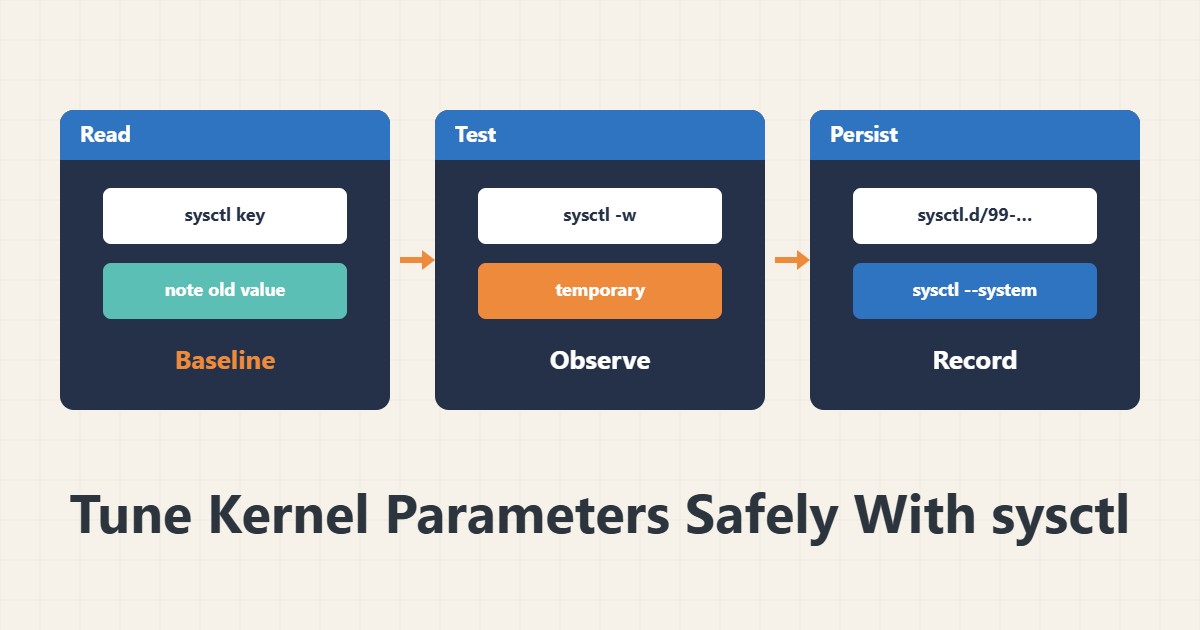
Linux kernel parameters are changed through sysctl. The internet is full of long “optimal tuning” lists, but copying them without understanding is risky. The right way is to read one value, test it and record it each time.
1. Read the current value
sysctl vm.swappiness
sysctl net.core.somaxconn
sysctl -a | grep tcp_fin_timeout
Always note the current value before changing it. That note is your way back. The last command lists all parameters and is filtered with grep.
2. Test temporarily
sudo sysctl -w vm.swappiness=10The -w option changes the value immediately, but it reverts after a restart. Test this way first and watch system behaviour. If something goes wrong, a restart or restoring the old value fixes it.
3. Make it persistent
echo 'vm.swappiness = 10' | sudo tee /etc/sysctl.d/99-custom.conf
sudo sysctl --system
Files in sysctl.d are read in name order. A higher number is applied later. Prefer a separate file over editing sysctl.conf so it is easy to remove.
4. Change one value at a time
If you change several values and something breaks, you do not know which one is to blame. Change a value only with a specific reason, for example memory with the OOM guide or file limits with the nofile guide. Record each change with a date.
5. Roll back
To roll back, delete the file you added and run sysctl --system again. If the old value was the default, a restart restores it. Recording the original value as a comment in the same file makes this easy.
6. Illustrative example, not a measurement
Suppose a server started swapping despite plenty of free memory. You lowered swappiness to 10 temporarily and behaviour improved. Then you made the same value persistent in a file under sysctl.d. This scenario is an invented illustration, not a measurement.
7. Common mistakes
- Copying long tuning lists from the internet.
- Changing several values at once.
- Not noting the previous value.
- Editing sysctl.conf directly instead of a separate file.
8. Frequently asked questions
Does sysctl -w survive a restart? No; to keep it, write it in sysctl.d.
How do I know a parameter name is right? With sysctl -a and grep.
Does a change need a restart? Usually not; sysctl –system is enough.
9. Quick checklist
- The current value was noted.
- The change was tested temporarily.
- A separate file was created in sysctl.d.
- sysctl –system was run.
- The change was recorded with a date.
If you need help reviewing performance or maintaining a server, see the server management services.
More server and WordPress guides are collected in the article archive.
Official references
sysctl manual page · sysctl.d manual page · Linux kernel: sysctl documentation