
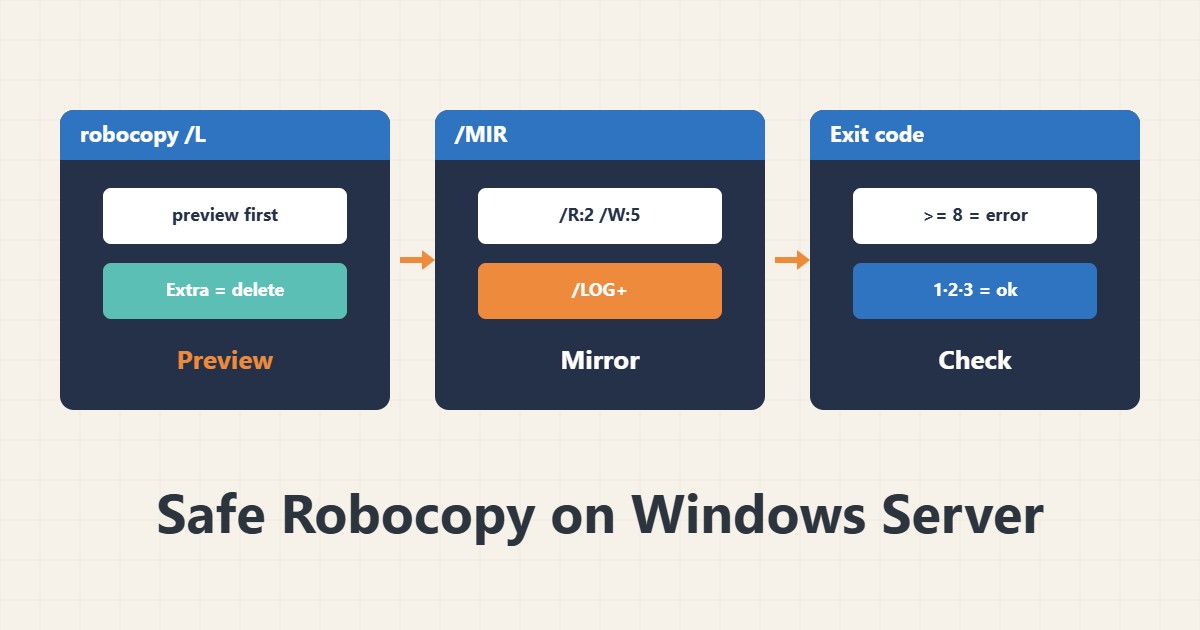
Robocopy is Windows’ reliable copy tool, but the /MIR option deletes extra files at the destination. Swapping source and destination can erase data. This guide gives a method of previewing first and then running.
1. Basic structure
robocopy D:\Data E:\Backup\Data /E /COPY:DAT /R:2 /W:5 /NP /LOG+:C:\Logs\robocopy.log/E includes subfolders, /COPY:DAT copies data, attributes and timestamps, /R and /W limit retry count and wait (the default is a million retries!), and /LOG+ appends to a log file.
2. Preview with /L
robocopy D:\Data E:\Backup\Data /MIR /L /NP /NJHThe /L option only lists and neither copies nor deletes. Read the output: “Extra” lines are files that exist at the destination but not at the source and that /MIR would delete.
3. /MIR and its danger
robocopy D:\Data E:\Backup\Data /MIR /R:2 /W:5 /LOG+:C:\Logs\mirror.log/MIR mirrors: it makes the destination exactly like the source and deletes anything extra. If you write source and destination in the wrong order, the original data is erased. Read the paths twice and always run /L first.
4. Exit codes
Robocopy exit codes are bit flags: 0 means nothing changed, 1 files were copied, 2 extra files at the destination, 4 mismatches, and 8 or more means errors. In PowerShell:
if ($LASTEXITCODE -ge 8) { throw "Robocopy failed: $LASTEXITCODE" }Codes below 8 are usually success. Use this in a script scheduled with Task Scheduler.
5. Other notes
For large files use /Z (restartable mode) and for speed /MT:8, but watch disk load with performance counters. To keep permissions use /COPY:DATSO or /SEC, and to skip folders use /XD. Do not mirror system folders without a reason.
6. Illustrative example, not a measurement
Suppose you meant to mirror Backup from Data but wrote the two paths reversed. Running /L showed hundreds of “Extra” files on the source would be deleted, so the mistake was fixed before the real run. This scenario is an invented illustration, not a measurement.
7. Common mistakes
- Running /MIR without /L.
- Swapping source and destination.
- Omitting /R and /W and hanging on a locked file.
- Treating exit code 1 or 3 as failure.
8. Frequently asked questions
How does /MIR differ from /E? /MIR also deletes extra files at the destination, besides copying.
What does exit code 3 mean? Files were copied (1) and there were extras at the destination (2); it is not a failure.
What about backing up a live file system? For files in use, Shadow Copy is more suitable.
9. Quick checklist
- Source and destination were read twice.
- /L was run and Extra lines reviewed.
- /R, /W and a log are set.
- Exit code >= 8 is handled as an error.
- The run was scheduled and tested.
If you need help reviewing performance or maintaining a server, see the server management services.
More server and WordPress guides are collected in the article archive.