
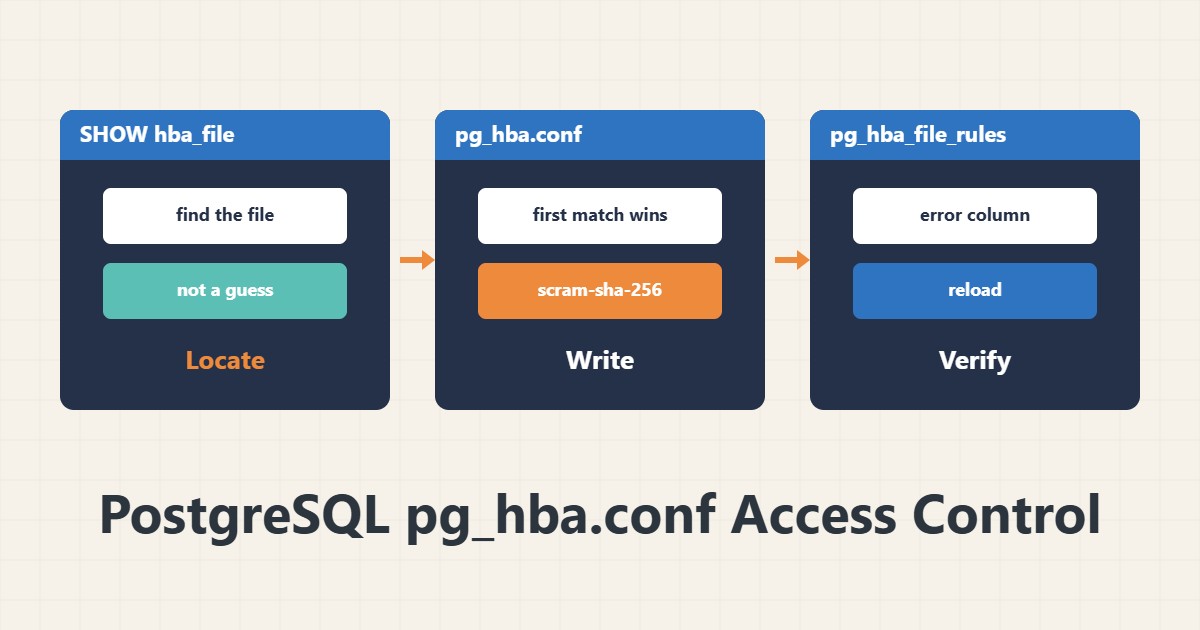
In PostgreSQL, who may connect to which database from where is decided in pg_hba.conf, separate from listen_addresses and the firewall. The error “no pg_hba.conf entry” means no line matches your connection. This guide covers the file structure and a safe fix.
1. Where the file is
sudo -u postgres psql -c "SHOW hba_file;"On Debian and Ubuntu it is usually under /etc/postgresql/<version>/main/. Ask the database for the path rather than guessing.
2. Line structure
# TYPE  DATABASE  USER     ADDRESS        METHOD
local   all       postgres                peer
host    appdb     appuser  10.0.0.5/32    scram-sha-256
Lines are read from top to bottom and the first matching line wins, so order matters. peer is for local connections by operating-system user name. For network connections, prefer scram-sha-256 over legacy md5.
3. Dangerous methods
The trust method allows access with no authentication and is acceptable only in very narrow local cases. Do not combine addresses like 0.0.0.0/0 with broad access. Make the address and user as exact as possible.
4. Apply and check errors
sudo systemctl reload postgresql
sudo -u postgres psql -c "SELECT line_number, type, database, user_name, address, auth_method, error FROM pg_hba_file_rules;"
The error column shows syntax errors. A reload is enough and does not drop current connections.
5. Fix “no pg_hba.conf entry”
The message names the user, database, source address and SSL state; add a line matching exactly that. If the server is not listening on the network at all, also check listen_addresses in postgresql.conf and open the firewall with nftables. For backups use pg_dump.
6. Illustrative example, not a measurement
Suppose an application at 10.0.0.5 could not connect and got “no pg_hba.conf entry”. After adding one host line for that user, database and /32 address and reloading, the connection worked. This scenario is an invented illustration, not a measurement.
7. Common mistakes
- Using trust for network access.
- Writing 0.0.0.0/0 with access to all databases.
- Placing a new line after a general reject line.
- Forgetting reload or listen_addresses.
8. Frequently asked questions
Does the first match win? Yes, so line order matters.
md5 or scram? scram-sha-256 is newer, safer and the default in recent versions.
Does reload drop connections? No; it only rereads the configuration.
9. Quick checklist
- The hba_file path was queried.
- Lines are exact, with /32 or the needed range.
- trust is not used on the network.
- pg_hba_file_rules shows no error.
- listen_addresses and firewall agree.
If you need help reviewing performance or maintaining a server, see the server management services.
More server and WordPress guides are collected in the article archive.
Official references
PostgreSQL: pg_hba.conf · PostgreSQL: pg_hba_file_rules view · PostgreSQL: password authentication