
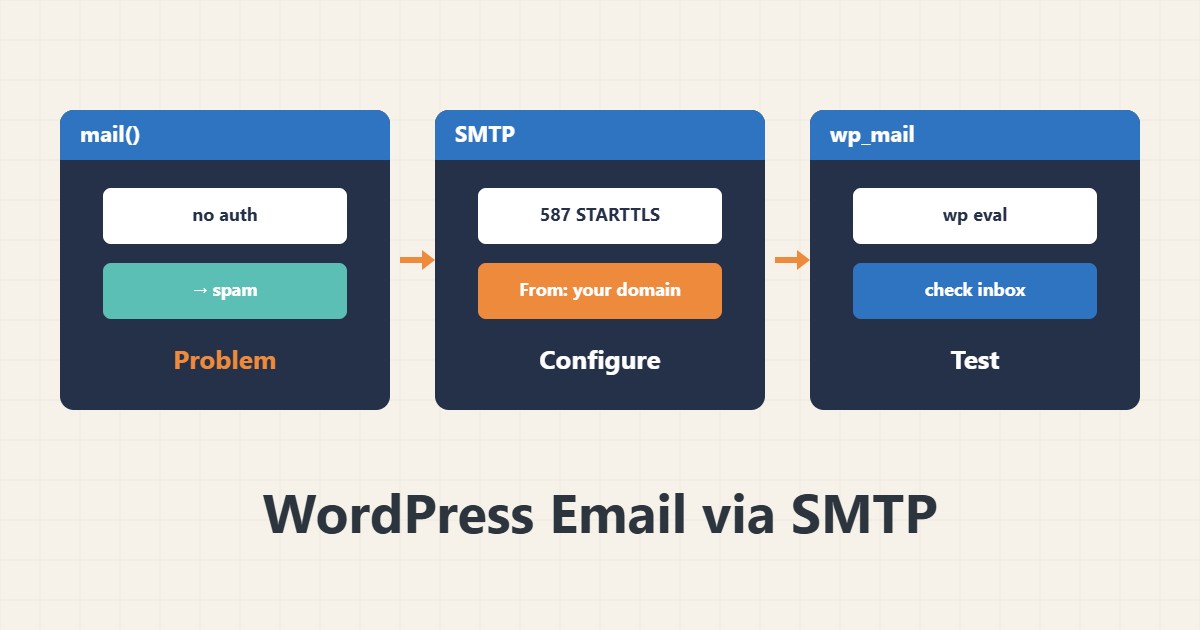
By default WordPress sends mail with the server’s mail() function, which many servers block or mark as spam. Authenticated SMTP through a real mail server improves deliverability. This guide covers setup and testing.
1. Why mail() is a problem
Mail sent without authentication and without SPF/DKIM alignment with the domain goes to spam or is rejected. A VPS may block outbound mail ports entirely. First check that important mail (password resets, orders) really arrives.
2. Configure SMTP
Install a reputable SMTP plugin and enter the server, port 587 with STARTTLS (or 465 with SSL) and a mailbox on your own domain. The From address should be on that same domain. Keep the credentials only in the plugin’s own settings or wp-config constants, not in a code repository or a chat.
3. Test with WP-CLI
wp eval 'var_dump( wp_mail( "you@example.com", "Test", "Body" ) );'bool(true) only means WordPress handed the message to the sender, not that it reached the inbox. Check the inbox and the spam folder. We have covered WP-CLI before.
4. Domain authentication
SPF, DKIM and DMARC records must authorise sending from your SMTP server. The mail server’s name and IP should also match the PTR record. Full setup is in this site’s SPF, DKIM and DMARC article.
5. If it still does not arrive
Read the plugin’s mail log or the mail server log. Common errors: wrong username or password, a blocked port, an invalid From and send-rate limits. Also separate bulk mailing from a transactional mail service.
6. Illustrative example, not a measurement
Suppose a password reset email went to spam. After switching from mail() to SMTP on the same domain with matching SPF and DKIM, the test message landed in the inbox. This scenario is an invented illustration, not a measurement.
7. Common mistakes
- Treating bool(true) as proof of delivery.
- A From address on a domain without SPF.
- Putting the SMTP password in a code repository or chat.
- Testing with only one mailbox provider.
8. Frequently asked questions
Which port? Usually 587 with STARTTLS; 465 with implicit SSL is also common.
Why do I get true but no mail? true means handed to the sending layer, not to the recipient’s inbox.
Does SMTP replace marketing email? No; bulk sending needs a suitable separate service.
9. Quick checklist
- Authenticated SMTP is configured.
- From is on your own domain.
- wp_mail was tested and the inbox checked.
- SPF, DKIM and DMARC agree.
- The error log was reviewed.
If you need help reviewing performance or maintaining a server, see the server management services.
More server and WordPress guides are collected in the article archive.
Official references
WordPress: wp_mail() · WP-CLI: wp eval · RFC 6409: Message Submission