
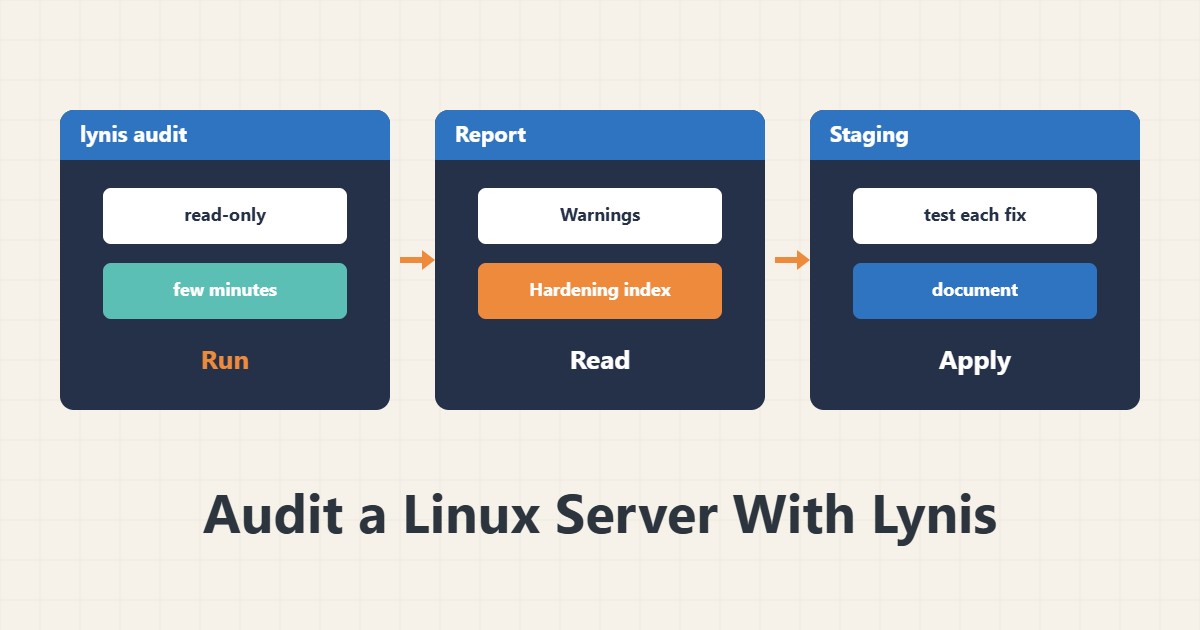
Lynis is a read-only audit tool that compares your server configuration with a list of best practices. Its output is a suggestion checklist, not a command. This guide shows how to read it and act without harm.
1. Install and run
sudo apt install lynis
sudo lynis audit system
The run takes a few minutes and only reads configuration. The repository version may be older than the project’s; it is fine for a routine audit.
2. Where to see the report
Results are stored in /var/log/lynis.log and machine-readable data in /var/log/lynis-report.dat. At the end it prints Warnings, Suggestions and a Hardening index number. That number is a before-and-after yardstick, not a pass mark.
3. Prioritise
grep -E '^(warning|suggestion)\[\]' /var/log/lynis-report.dat | head -30Look at Warnings first, then suggestions tied to services that really run. A suggestion to disable a feature may break your application; understand each item, test it in a staging environment and then apply it.
4. Typical actions
Many suggestions concern SSH, automatic updates, user passwords and kernel parameters. For SSH see key-only login and for services hardening a systemd service. Review firewall items with nftables.
5. Repeat periodically
Repeat the audit after major changes and at least every few months, and archive the number and date. If the number drops without reason, something changed.
6. Illustrative example, not a measurement
Suppose the first Lynis run gave 3 warnings and 40 suggestions. After fixing two SSH-related warnings and enabling automatic updates, it was run again and the number rose. These numbers and the scenario are invented for explanation, not a real measurement.
7. Common mistakes
- Applying every suggestion without understanding or testing.
- Chasing a score of 100 instead of real risk reduction.
- Auditing a server without the owner’s permission.
- Not keeping the previous report for comparison.
8. Frequently asked questions
Does Lynis change anything? In audit mode it only reads and applies nothing.
What does the hardening index mean? The share of healthy settings among those checked; useful for trends.
Does it replace a vulnerability scanner? No; it mostly measures configuration and best practice.
9. Quick checklist
- Lynis ran and the report was saved.
- Warnings were listed.
- Each action was tested in staging.
- Changes were documented.
- The next audit is scheduled.
If you need help reviewing performance or maintaining a server, see the server management services.
More server and WordPress guides are collected in the article archive.