
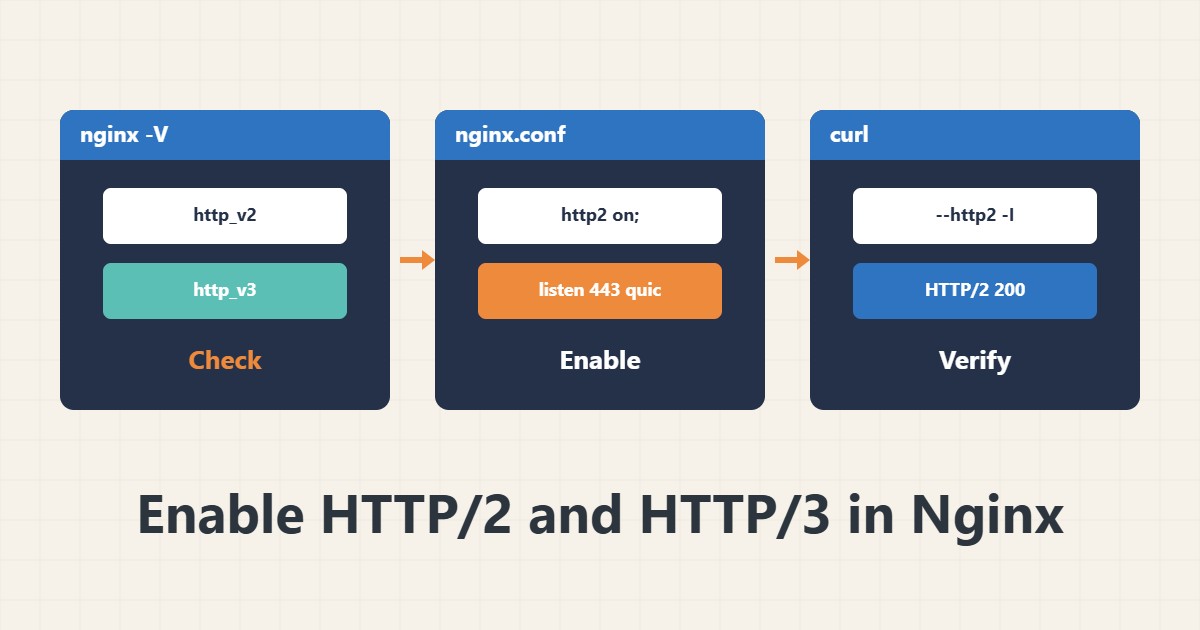
Turning on HTTP/2 is usually one line, but proving it works is a separate job. HTTP/3 also depends on the Nginx version, the QUIC module and an open UDP port. This guide walks through configuring and testing both.
1. Check the prerequisites
First see whether your Nginx was built with the needed modules:
nginx -V 2>&1 | tr ' ' '\n' | grep -E 'http_v2|http_v3'HTTP/2 needs the http_v2 module and working HTTPS. HTTP/3 needs http_v3 and a recent Nginx; if the output is empty, that part is not in your package.
2. Turn on HTTP/2
From Nginx 1.25.1 onward there is a separate directive:
server {
    listen 443 ssl;
    http2 on;
    server_name example.com;
}
On older versions the parameter sits on the listen line: listen 443 ssl http2;. After the change run sudo nginx -t first, then reload.
3. Verify with curl
curl -sI --http2 https://example.com | head -n 1You should see a line like HTTP/2 200. If you get HTTP/1.1, either another server such as a proxy sits in front of Nginx, or the client did not negotiate ALPN.
4. HTTP/3 only with its conditions
HTTP/3 runs over UDP port 443, which you must open in the firewall. A minimal example:
listen 443 quic reuseport;
add_header Alt-Svc 'h3=":443"; ma=86400' always;
Browsers connect with HTTP/2 first and learn about HTTP/3 from Alt-Svc. If UDP is blocked, visitors silently fall back to HTTP/2 without a visible error, so a real test matters.
5. Weigh the real effect
HTTP/2 multiplexes requests over one connection and often helps pages with many small files. Do not forget compression and caching: gzip and cache headers in Nginx and HSTS and security headers complement this. Open the UDP port using safe firewall changes so you do not lock yourself out of SSH.
6. Illustrative example, not a measurement
Suppose curl showed HTTP/1.1 200 before the change and HTTP/2 200 after http2 on; and a reload. This is an invented illustration, not a measurement. Any speed difference you must measure yourself on your own site.
7. Common mistakes
- Forgetting to reload, or skipping nginx -t.
- Not opening UDP 443 and expecting HTTP/3.
- Testing with a cached browser instead of curl.
- Assuming HTTP/2 always makes a site many times faster.
8. Frequently asked questions
Does HTTP/2 work without HTTPS? Browsers in practice only accept HTTP/2 over TLS.
Do I need HTTP/3? No; a well-configured HTTP/2 is enough for most sites.
Why does curl still say HTTP/1.1? A proxy or CDN may sit in front of Nginx, or the setting was applied to the wrong server block.
9. Quick checklist
- Modules checked with nginx -V.
- http2 on or listen … http2 added.
- nginx -t and reload done.
- curl shows an HTTP/2 line.
- For HTTP/3, UDP 443 is open and tested.
If you need help reviewing performance or maintaining a server, see the server management services.
More server and WordPress guides are collected in the article archive.
Official references
Nginx ngx_http_v2_module · Nginx QUIC and HTTP/3 · curl HTTP/2 documentation