
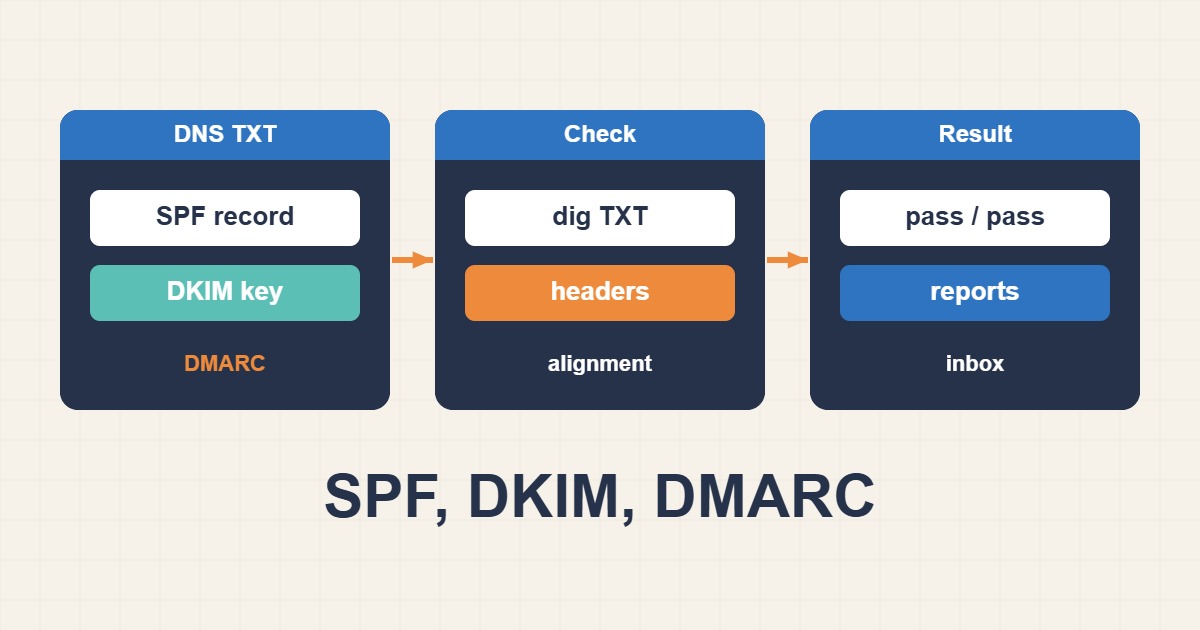
SPF, DKIM, and DMARC are complementary email-authentication controls. SPF authorizes sending infrastructure, DKIM signs messages with a domain-controlled key, and DMARC checks whether the visible From domain aligns with SPF or DKIM while defining a policy and reporting channel. A reliable deployment requires all three.
SPF: authorize legitimate senders
SPF is a TXT record on the envelope-from domain. It lists the servers and services allowed to send mail for that domain. A simple record may authorize the domain’s A and MX hosts plus a trusted provider:
v=spf1 a mx include:_spf.example-provider.com -allMaintain exactly one SPF record per domain. Multiple SPF records cause a permanent error. SPF evaluation also has a limit of ten DNS-generating lookups; nested include, a, mx, exists, and redirect mechanisms count toward that limit. Remove obsolete services instead of blindly flattening records, because provider IP ranges can change.
Use ~all during controlled testing when appropriate, then use -all after the sender inventory is complete. Remember that forwarding can break SPF because the forwarding server is not authorized for the original envelope domain.
DKIM: prove message integrity and domain control
DKIM adds a cryptographic signature to the message headers. The receiving system retrieves the public key from DNS using a selector:
selector1._domainkey.example.com TXT "v=DKIM1; k=rsa; p=PUBLIC_KEY"The private key remains on the sending platform. Use at least 2048-bit keys where supported, protect the private key, and rotate selectors periodically. Each sending service can use a different selector. DKIM can survive normal forwarding better than SPF, but mailing-list modifications or gateways that rewrite signed headers or message bodies may invalidate the signature.
DMARC: alignment, policy, and reporting
DMARC is published at _dmarc.example.com. It passes when either SPF or DKIM passes and the authenticated domain aligns with the visible From domain. Alignment is essential: an SPF pass for a provider-owned bounce domain does not satisfy DMARC unless that domain aligns with the From domain; the same rule applies to DKIM’s signing domain.
v=DMARC1; p=none; rua=mailto:dmarc-reports@example.com; adkim=r; aspf=r; pct=100Start with p=none to collect aggregate reports. Inventory every valid sender, correct alignment, and then progress to quarantine and finally reject. Do not jump to enforcement before reviewing third-party platforms, support systems, newsletters, CRM tools, and subdomain behavior.
Recommended rollout
- List every platform that sends as your domain.
- Publish one valid SPF record and remain below the DNS-lookup limit.
- Enable DKIM for every capable platform and verify the selector.
- Publish DMARC with
p=noneand a monitoredruaaddress. - Review reports for at least one normal business cycle.
- Fix unauthorized or misaligned sources.
- Move gradually to quarantine and reject.
Test DNS records
dig TXT example.com
dig TXT selector1._domainkey.example.com
dig TXT _dmarc.example.com
nslookup -type=TXT _dmarc.example.com
Query authoritative name servers as well as public resolvers to separate publication mistakes from caching or propagation. Confirm that long DKIM keys were not split incorrectly by the DNS control panel.
Analyze message headers
Send a test message to an external mailbox and inspect the raw headers. Review Authentication-Results, Received-SPF, and DKIM-Signature. Check the SPF domain, DKIM d= domain, selector s=, visible From domain, and DMARC result. A generic “pass” is not enough; alignment must also pass.
Common failures
- Publishing more than one SPF record.
- Exceeding SPF’s ten-lookup limit.
- Leaving an old service authorized after cancellation.
- Using the wrong DKIM selector or truncated public key.
- Signing with a provider domain that does not align.
- Sending DMARC reports to an unmonitored mailbox.
- Enforcing reject before legitimate services are aligned.
- Forgetting subdomains or using conflicting records.
Verification checklist
Test one message from every legitimate platform, verify SPF and DKIM independently, confirm DMARC alignment, review aggregate reports for unexpected sources, and retest after DNS or provider changes. Authentication improves trust and spoofing resistance, but inbox placement also depends on reputation, complaint rates, content, list quality, TLS, and consistent sending behavior.