
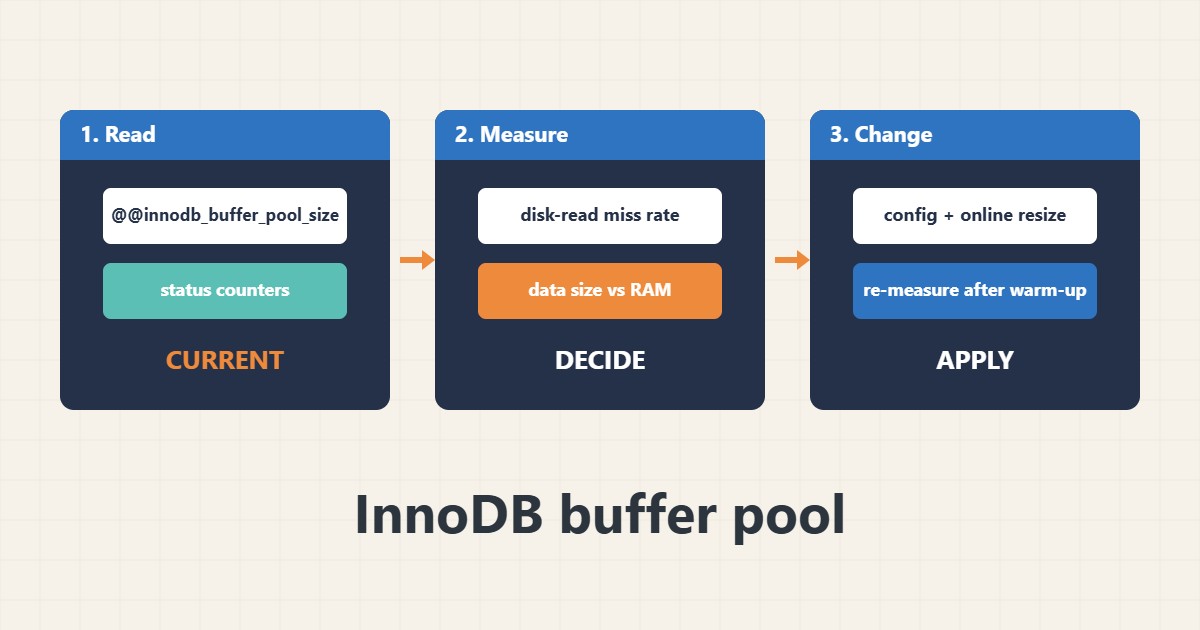
The InnoDB buffer pool is the memory MySQL or MariaDB uses to keep table and index pages. If it is too small, queries read from disk more often; if it is too large, the operating system runs out of memory for PHP, the web server and the database itself. The right size comes from measurements, not from a copied number. This guide shows how to look at the miss rate, compare it with data size and RAM and change the setting safely. Commands follow the MySQL and MariaDB documentation; I did not run them on your server.
1. Read the current setting and counters
Start by seeing the configured size and the buffer pool counters:
SELECT @@innodb_buffer_pool_size/1024/1024 AS buffer_pool_mb;
SHOW GLOBAL STATUS LIKE 'Innodb_buffer_pool_read%';
SHOW GLOBAL STATUS LIKE 'Innodb_buffer_pool_pages_%';
The counters accumulate since the last restart, so read them after the server has been busy for a while.
2. Measure the miss rate
Compare reads that went to disk with all read requests:
-- Miss rate: disk reads divided by all read requests (a rough guide)
SELECT
  s1.VARIABLE_VALUE AS disk_reads,
  s2.VARIABLE_VALUE AS read_requests,
  ROUND(100 * s1.VARIABLE_VALUE / NULLIF(s2.VARIABLE_VALUE,0), 3) AS miss_percent
FROM performance_schema.global_status s1, performance_schema.global_status s2
WHERE s1.VARIABLE_NAME='Innodb_buffer_pool_reads' AND s2.VARIABLE_NAME='Innodb_buffer_pool_read_requests';
A very low percentage usually means the pool is large enough for your working set. A high value suggests more memory or better queries; see the slow query guide.
3. Compare with data size and RAM
Look at how much memory the server really has and how large the InnoDB data is:
free -m
SELECT ROUND(SUM(data_length+index_length)/1024/1024) AS innodb_data_mb
FROM information_schema.tables WHERE engine='InnoDB';
-- Rule of thumb: dedicated DB server 50-70% of RAM;
-- a server shared with PHP/web: much less, leave room for PHP-FPM and the OS
On a server that also runs PHP and the web server, leave room for them; see the Apache tuning guide, the PHP-FPM guide and the memory and OOM guide.
4. Change it safely
Edit the configuration file and, if your version allows, resize online. Keep a backup and change in a quiet period:
# /etc/mysql/conf.d/buffer-pool.cnf (example, size to your own server)
[mysqld]
innodb_buffer_pool_size = 1G

-- Or change online (MySQL 5.7+/MariaDB 10.2+), then also put it in the file
SET GLOBAL innodb_buffer_pool_size = 1073741824;
SHOW STATUS LIKE 'Innodb_buffer_pool_resize_status';
Check the free memory and swap afterwards and read the error log if the service fails to start; see the journalctl guide.
5. Mistakes to avoid
These habits cause trouble:
Setting 80-90% of RAM on a shared web+DB server   # swap or OOM kill
Changing it without looking at the miss rate      # no evidence it helps
Ignoring slow queries and adding RAM instead       # a missing index stays missing
Judging right after a restart                      # the pool is still cold
Re-measure after the pool has warmed up, usually after hours of normal traffic.
6. Illustrative example, not a measurement
Imagine a 4 GB VPS (made-up) running PHP and MySQL with a 128 MB buffer pool and an InnoDB data size of about 600 MB. The miss rate is high at peak. After raising the pool to 1 GB while leaving memory for PHP-FPM, the miss rate falls and the memory check shows no swap use. These numbers are only an illustration.
7. Common mistakes
- Using too much RAM on a shared server.
- Changing it without measuring.
- Judging right after a restart.
- Adding RAM instead of fixing slow queries.
- Forgetting to persist an online change.
- Ignoring swap after the change.
8. Frequently asked questions
What is a good buffer pool size? Large enough for your hot data but small enough to leave memory for the rest of the server.
Can I resize without restart? Often yes on modern versions, but also update the config file.
Is the miss rate the only metric? No, also check slow queries and memory.
Does it matter for tiny sites? Less, but the default can be too small for growing databases.
9. Quick checklist
- Read the current size.
- Measure the miss rate.
- Check RAM and data size.
- Leave room for PHP and the OS.
- Change in a quiet period.
- Persist in the config.
- Re-measure after warm-up.
If you need help reviewing performance or maintaining a server, see the server management services.
More server and WordPress guides are collected in the article archive.
Official references
MySQL: InnoDB Buffer Pool · MySQL: Configuring Buffer Pool Size · MySQL: Server Status Variables · MariaDB: InnoDB Buffer Pool