
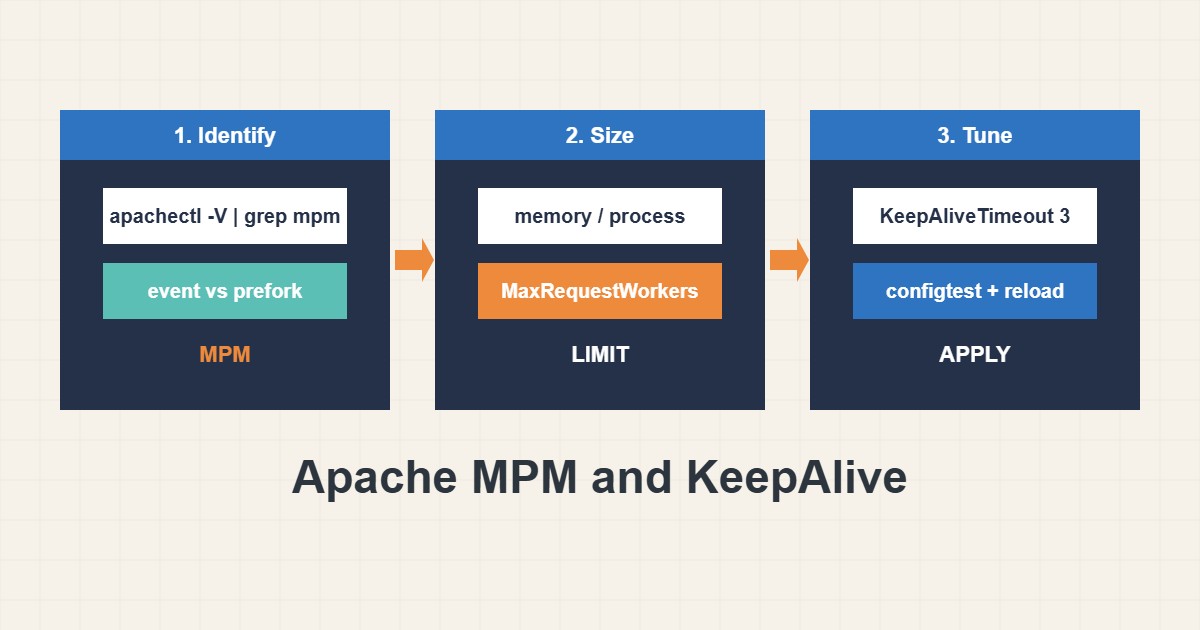
Apache serves each connection with a worker. Too few workers make visitors wait and fill the log with “server reached MaxRequestWorkers”. Too many exhaust RAM. KeepAlive can help speed but also holds workers while clients are idle. This guide shows how to see which MPM you use, how to size the limits and which KeepAlive values are safe. Directives follow the Apache documentation; I did not run them on your server, and shared hosting usually does not allow these changes.
1. See which MPM you use
The MPM decides how Apache handles connections. Event is the modern default, while prefork is older and uses much more memory per connection:
apachectl -V | grep -i mpm                 # which MPM is active
apachectl -M | grep -E 'mpm|php|proxy_fcgi'
ps -ylC apache2 --sort:rss | awk '{s+=$8} END {print s/1024 " MB total"}'
If PHP runs through PHP-FPM, use the event MPM. For PHP-FPM sizing see the PHP-FPM tuning guide.
2. Size the limits from memory
Measure the average memory per Apache process, divide the memory you can spare and keep a margin. These values are only an example; calculate yours:
# /etc/apache2/mods-available/mpm_event.conf (example values, calculate your own)
<IfModule mpm_event_module>
    StartServers             2
    MinSpareThreads         25
    MaxSpareThreads         75
    ThreadsPerChild         25
    ServerLimit             8
    MaxRequestWorkers      200
    MaxConnectionsPerChild 2000
</IfModule>
MaxConnectionsPerChild recycles processes to limit slow memory growth.
3. Set KeepAlive carefully
KeepAlive reuses connections, which saves handshakes, but long timeouts keep workers busy while nobody is sending anything:
KeepAlive On
MaxKeepAliveRequests 100
KeepAliveTimeout 3
Timeout 60
A timeout of two to five seconds is usually enough for page assets.
4. Test and watch
Check the syntax, reload gracefully and watch the log for limit warnings:
sudo apachectl configtest
sudo systemctl reload apache2
grep -i 'MaxRequestWorkers' /var/log/apache2/error.log | tail -n 3
curl -sI https://example.com/ | grep -i -E 'keep-alive|connection'
If the limit is reached often and memory is free, raise it slowly. If memory is tight, fix slow pages first; see the TTFB guide.
5. Mistakes to avoid
These settings cause most worker problems:
MaxRequestWorkers 2000        # 2000 x 60 MB prefork = out of memory
KeepAliveTimeout 60         # idle clients hold workers for a minute
prefork MPM with PHP-FPM    # wastes memory; use event + proxy_fcgi
Remember that a reverse proxy or CDN in front changes how many connections reach Apache.
6. Illustrative example, not a measurement
Imagine a VPS (made-up) running prefork Apache with mod_php. Under traffic the log shows MaxRequestWorkers reached and memory is nearly exhausted. After switching to the event MPM with PHP-FPM and a 3-second KeepAliveTimeout, memory use drops and the same traffic is served without queueing.
7. Common mistakes
- Raising MaxRequestWorkers without checking memory.
- Long KeepAliveTimeout values.
- Using prefork with PHP-FPM.
- Restarting instead of graceful reload.
- Ignoring the error log warnings.
- Not testing with configtest.
8. Frequently asked questions
Which MPM is best? Event is the usual choice for modern setups, especially with PHP-FPM.
Should I disable KeepAlive? Usually no. A short timeout is better than turning it off.
What does MaxRequestWorkers limit? The number of simultaneous requests Apache can serve.
Can I tune on shared hosting? Typically not; ask your provider.
9. Quick checklist
- Find the active MPM.
- Measure memory per process.
- Calculate MaxRequestWorkers.
- Set a short KeepAliveTimeout.
- Run configtest.
- Reload gracefully.
- Watch the error log.
If you need help reviewing performance or maintaining a server, see the server management services.
More server and WordPress guides are collected in the article archive.
Official references
Apache: Common MPM directives · Apache: event MPM · Apache: KeepAlive · Apache: mod_status