
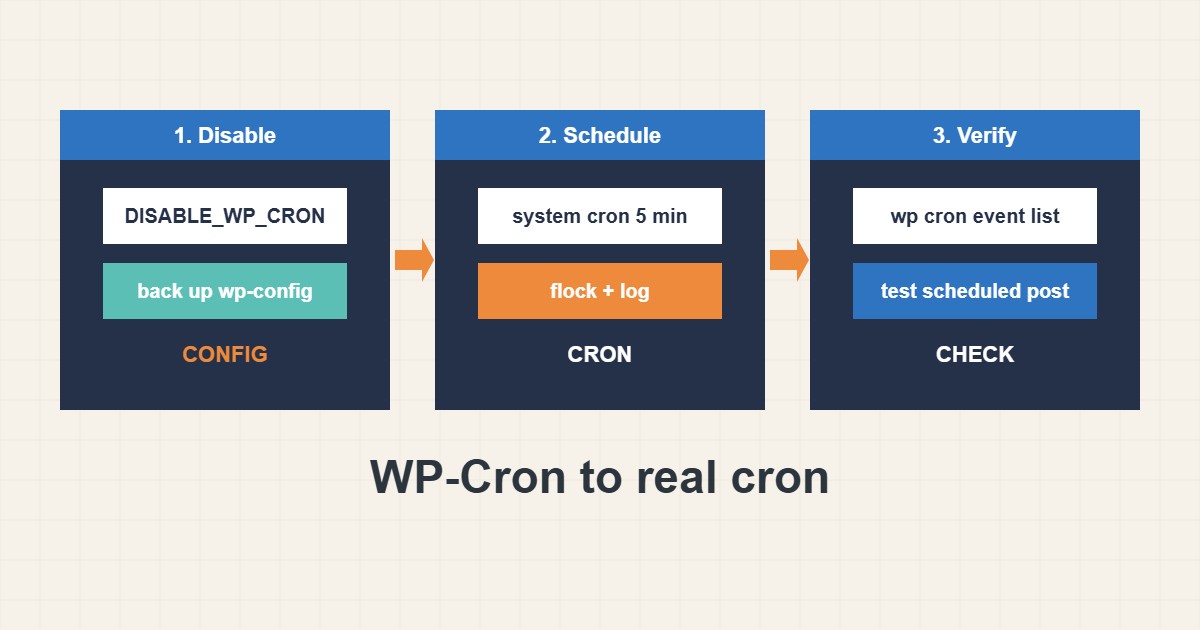
WordPress does not have a real scheduler. WP-Cron runs when someone visits the site, which adds a little work to page loads and means tasks are late on quiet sites. A system cron job fixes both problems. This guide shows how to switch safely, how to avoid overlapping runs and how to confirm that scheduled posts, backups and cleanup tasks still happen. Commands follow the WordPress and WP-CLI documentation; I did not run them on your site, and shared hosting may limit cron features.
1. Why change it
With the default behavior, a visit can trigger scheduled tasks, so a slow task may delay that visitor. On a low-traffic site, tasks wait until someone arrives, so scheduled posts or backups run late. A real cron job runs on time, whether or not anyone visits.
2. Disable page-triggered cron
Add one line to wp-config.php above the “stop editing” comment. Do this only together with the next step, otherwise nothing will run:
# wp-config.php : stop WordPress from running cron on every page view
define('DISABLE_WP_CRON', true);
Keep a backup of wp-config.php before editing; see the backup guide.
3. Add a real cron job
Create a job that runs every five minutes. A lock prevents two runs from overlapping, and a log file gives you something to read when it fails. WP-CLI is a clean alternative if it is installed:
# crontab -e  (run every 5 minutes, with a lock and a log)
*/5 * * * * /usr/bin/flock -n /tmp/wpcron.lock /usr/bin/php -q /var/www/site/wp-cron.php >> /var/log/wpcron.log 2>&1

# or with WP-CLI
*/5 * * * * cd /var/www/site && /usr/local/bin/wp cron event run --due-now >> /var/log/wpcron.log 2>&1
On cPanel or Plesk add the same command from the panel’s cron page and use absolute paths. For more on scheduling options see the systemd timers guide.
4. Verify the schedule
List the scheduled events, run the due ones once by hand and read the log. Check that a scheduled post or a backup plugin job fires at its time:
wp cron event list --fields=hook,next_run_relative
wp cron test
wp cron event run --due-now
tail -n 20 /var/log/wpcron.log
curl -s -o /dev/null -w "%{http_code} %{time_total}s\n" https://example.com/wp-cron.php?doing_wp_cron
If events stay overdue, check the PHP binary path, file permissions and whether a security rule blocks the request.
5. Mistakes to avoid
The most common failures:
define('DISABLE_WP_CRON', true);   # but no real cron job added: scheduled posts and backups never run
*/1 * * * * php wp-cron.php        # every minute with no lock can overlap
curl https://example.com/wp-cron.php   # blocked by a firewall or cached by a CDN
If the site is behind a firewall or security plugin, make sure the cron request is allowed. Review login protection separately; see the login hardening guide.
6. Illustrative example, not a measurement
Imagine a small blog (made-up) where scheduled posts are often a few hours late because few people visit overnight. After adding DISABLE_WP_CRON and a five-minute system cron job, the list of events shows nothing overdue, and the next scheduled post appears at the planned minute.
7. Common mistakes
- Disabling WP-Cron without adding a real cron job.
- Running cron every minute without a lock.
- Using a relative PHP or WP path in the job.
- Forgetting to check the log.
- Blocking wp-cron.php with a security rule.
- Not testing a scheduled post afterwards.
8. Frequently asked questions
Is it safe to disable WP-Cron? Yes, if a real cron job runs wp-cron.php or WP-CLI regularly.
How often should the job run? Every five minutes is a common choice. Every minute is rarely needed.
Will this speed up my site? It removes cron work from visitor requests, which can help slightly, but it is not a full caching solution.
Does it work on shared hosting? Usually, through the control panel’s cron page. Check your host’s limits.
9. Quick checklist
- Back up wp-config.php.
- Add DISABLE_WP_CRON.
- Create the system cron job.
- Add a lock and a log.
- Run wp cron event list.
- Test a scheduled post.
- Check overdue events later.
If you need help reviewing performance or maintaining a server, see the server management services.
More server and WordPress guides are collected in the article archive.
Official references
WordPress: Cron · WordPress: Hooking WP-Cron into the system scheduler · WP-CLI: wp cron · crontab(5) manual