
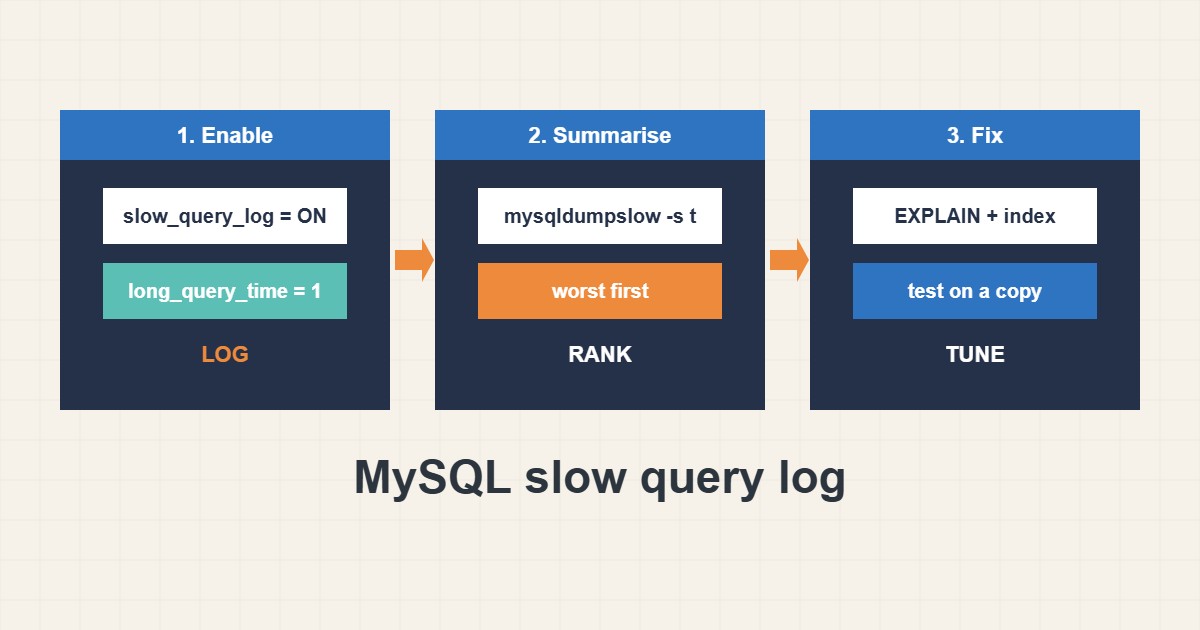
When a WordPress or application page is slow, the cause is often a handful of database queries. The slow query log records statements that take longer than a threshold, so you can fix the worst ones instead of guessing. This guide shows how to turn it on, keep the file manageable, summarise it and use EXPLAIN. Settings follow the MySQL and MariaDB documentation; I did not run them on your server, and file paths and defaults vary.
1. Check and enable the log
First see whether it is already on. You can enable it at runtime without a restart, which is handy for a short investigation:
-- Check current settings
SHOW VARIABLES LIKE 'slow_query_log%';
SHOW VARIABLES LIKE 'long_query_time';

-- Turn on at runtime (lost after restart)
SET GLOBAL slow_query_log = 'ON';
SET GLOBAL long_query_time = 1;
SET GLOBAL log_queries_not_using_indexes = 'OFF';
A threshold of one second is a reasonable start. Lower it later if nothing shows up.
2. Make it persistent and keep it small
Runtime settings vanish after a restart. For a longer study put them in a configuration file, and make sure the log directory has space and is rotated:
# /etc/mysql/conf.d/slow.cnf  (persistent)
[mysqld]
slow_query_log = 1
slow_query_log_file = /var/log/mysql/slow.log
long_query_time = 1
Avoid extreme settings. Logging every query adds I/O and fills disks:
SET GLOBAL long_query_time = 0;     -- logs every query: huge file, extra I/O
SET GLOBAL log_queries_not_using_indexes = 'ON';   -- noisy on small tables
3. Summarise instead of reading line by line
The raw file is long. mysqldumpslow groups similar queries and sorts them by total time, which shows the worst offenders:
sudo tail -n 30 /var/log/mysql/slow.log
sudo mysqldumpslow -s t -t 10 /var/log/mysql/slow.log

-- Then inspect one query
EXPLAIN SELECT * FROM wp_postmeta WHERE meta_key = '_price';
Focus on queries that are both slow and frequent; a one-off slow report matters less than a query running thousands of times.
4. Read EXPLAIN
EXPLAIN shows whether a query uses an index or scans the whole table. A full scan on a big table is the usual cause. Often the fix is an index or a smaller query, but test changes on a copy first and keep a backup, as described in the backup guide. For caching improvements at the site level see the TTFB guide.
5. Switch it off when done
After the investigation return the threshold to a sensible value or disable the log, and delete or rotate the file. Keep a note of what you changed and the before-and-after timings so you can prove the improvement.
6. Illustrative example, not a measurement
Imagine a WooCommerce page (made-up) that takes seconds to load. The slow log shows one query on the post meta table repeated thousands of times, each taking about a second. EXPLAIN shows a full table scan. After a suitable index is added on a test copy and then on production, the same query becomes fast and the page time drops noticeably.
7. Common mistakes
- Setting long_query_time to 0 on a busy server.
- Forgetting that runtime settings reset on restart.
- Reading raw logs instead of summarising.
- Adding indexes without testing.
- Leaving the log on and growing forever.
- Optimising a rare query before a frequent one.
8. Frequently asked questions
Is the slow query log safe in production? With a sensible threshold and rotation, yes. Extreme settings add I/O.
Where is the log file? Check slow_query_log_file. The location depends on the distribution and configuration.
Does it work on MariaDB? Yes, the concept and main settings are the same.
What should I fix first? Queries that are both slow and frequent, according to the summary.
9. Quick checklist
- Check current settings.
- Enable with a one-second threshold.
- Make it persistent if needed.
- Collect for a representative period.
- Summarise with mysqldumpslow.
- Inspect with EXPLAIN.
- Disable or rotate afterward.
If you need help reviewing performance or maintaining a server, see the server management services.
More server and WordPress guides are collected in the article archive.
Official references
MySQL: The Slow Query Log · MySQL: mysqldumpslow · MySQL: EXPLAIN · MariaDB: Slow Query Log Overview