
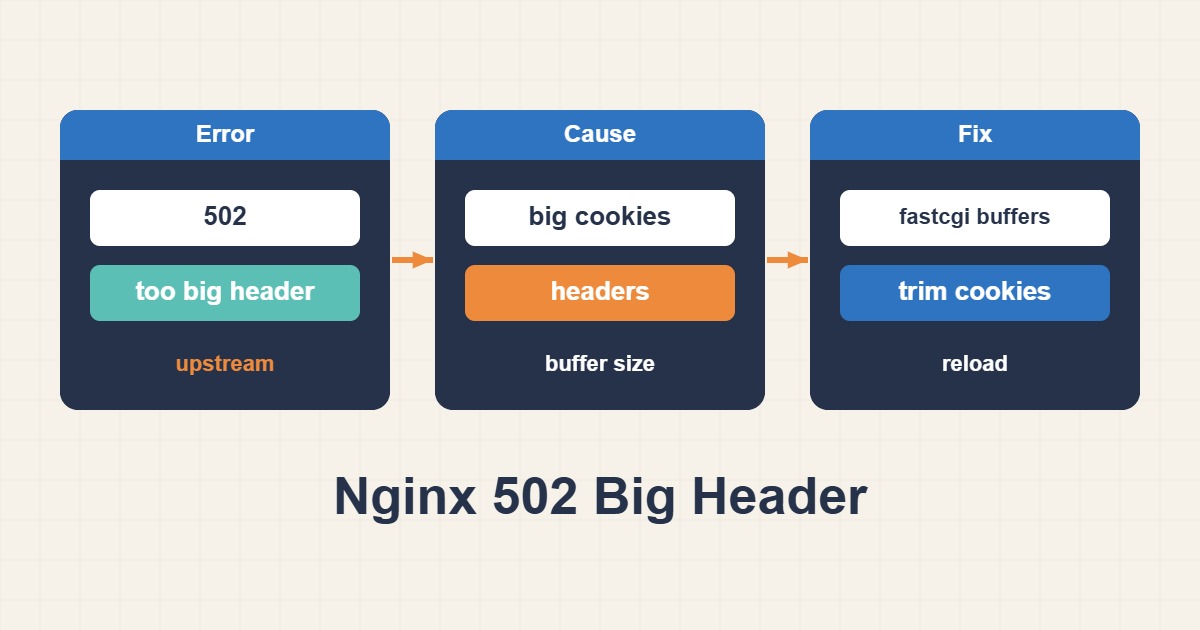
A page that loads fine for one visitor and returns a 502 for the next is an annoying thing to debug. The server is up, PHP-FPM is running, and yet Nginx gives up halfway. If your error log contains upstream sent too big header while reading response header from upstream, the backend did answer. Nginx just had nowhere to put the answer’s headers.
The fix is usually one or two lines of configuration, but the number you put in matters. Guess too low and the error stays; guess absurdly high and you hide a real problem. Here’s how to measure first and change second.
1. What the message actually means
When Nginx talks to a backend, it reads the reply into a buffer. The first chunk, meaning the status line plus every response header, has to fit into one buffer. That buffer’s size is fastcgi_buffer_size for PHP-FPM, proxy_buffer_size for proxy_pass, and uwsgi_buffer_size for uWSGI. The default is a single memory page, usually 4k or 8k depending on the platform.
If the headers are larger than that, Nginx can’t parse the response. It drops the upstream connection and sends the client a 502. The body isn’t involved. A 2 MB page with small headers is fine, while a tiny page with a 9 KB header block is not.
2. Confirm it in the log, and read the upstream field
sudo grep "too big header" /var/log/nginx/error.log | tail -n 5A typical line looks like this (addresses are documentation examples):
[error] 1421#1421: *88231 upstream sent too big header while reading response header
from upstream, client: 203.0.113.20, server: example.com, request: "GET /wp-admin/ HTTP/2.0",
upstream: "fastcgi://unix:/run/php/php8.3-fpm.sock:", host: "example.com"
Look at the upstream: part before touching anything. fastcgi:// means you tune the fastcgi_* directives. http:// or proxy:// means proxy_*. Editing the wrong family is the most common reason a “fix” seems to do nothing. The request: field is useful too: login, checkout and admin URLs show up a lot, because that’s where cookies pile up.
3. Measure the header block instead of guessing
If the backend speaks HTTP, you can request the failing URL straight from it and count the header bytes:
curl -sS -D headers.txt -o /dev/null -H "Cookie: session=PASTE_REAL_VALUE" http://127.0.0.1:8080/wp-admin/
wc -c headers.txt
grep -ci '^set-cookie' headers.txt
With PHP-FPM over a socket there’s no easy way to curl the backend, so use a two-step approach: temporarily set fastcgi_buffer_size 32k; on the affected location, reload, repeat the request through Nginx with the same command, and read the real size from headers.txt. Then set the final value to the next sensible step above that number (8k, 16k, 32k). Send the cookies the browser actually sends. The application often adds more when a session is present.
4. What usually inflates response headers
Raising a buffer treats the symptom. It helps to know what’s filling it:
- Many
Set-Cookieheaders from plugins, analytics, A/B testing or session handlers. Each can be a few hundred bytes. - A very long
Content-Security-PolicyorPermissions-Policyadded by the application and then again by Nginx. Link: rel=preloadheaders that list dozens of assets.- Debug or profiler headers left on after a troubleshooting session.
- Large tokens (JWTs, signed state) returned in a header.
- A
Locationheader on a redirect that carries a long query string.
5. Raise the buffers the right way
For PHP-FPM, put the directives in the PHP location block:
location ~ \.php$ {
    include fastcgi_params;
    fastcgi_pass unix:/run/php/php8.3-fpm.sock;

    fastcgi_buffer_size 16k;        # response headers (and the start of the body)
    fastcgi_buffers 16 16k;         # the rest of the body
    fastcgi_busy_buffers_size 32k;  # data that may be sent to the client while still reading
}
For a reverse proxy, the equivalents are:
proxy_buffer_size 16k;
proxy_buffers 16 16k;
proxy_busy_buffers_size 32k;
Only the first directive decides whether headers fit. The other two exist because Nginx validates them against each other: the busy size must be at least as large as the biggest single buffer and smaller than the total of all buffers minus one. If nginx -t complains about “busy buffers”, that rule is what you broke. The three lines above are consistent, so you can start from them.
Memory is rarely the worry. Buffers are allocated per connection as needed, and 16k for headers is cheap. If you find yourself setting 128k or 256k just to make the error disappear, stop and go back to section 4.
6. Apply it safely
sudo nginx -t && sudo systemctl reload nginx
sudo tail -f /var/log/nginx/error.log
Test the config before reloading, and reload instead of restarting so open connections aren’t cut. Then repeat the request that failed. You want a 200 and no fresh “too big header” lines. Check the two or three URLs that triggered it, not only the home page.
7. Fix the source of the bloat
Once the site works again, trim what caused it. Open browser dev tools, look at the Network tab for the failing request, and read the response headers. Remove the plugin that sets five cookies nobody uses. Shorten the CSP. Stop sending preload hints for assets the page doesn’t need. A smaller header block is faster for every visitor, not only for Nginx.
8. A worked example: WordPress admin behind Nginx
Say /wp-admin/ returns a 502, but only for logged-in users. The error log shows “too big header” with a fastcgi:// upstream. You log in, copy the Cookie header from your browser’s request, set the buffer temporarily to 32k and run the curl command from section 3. The result: 11,400 bytes and seven Set-Cookie lines. Anything above the 8k default explains the failure, so you set 16k, reload, and the admin loads.
That’s where many people stop. A better ending is to look at the seven cookies. If four of them come from a plugin that tracks something nobody reads, switching it off may bring the block under 4k, and the default would have worked all along. The order matters: measure, adjust, then reduce.
9. When a CDN or another proxy sits in front
Nginx is rarely the only hop. A CDN, a load balancer or a second Nginx has its own header limits, and they aren’t always documented the same way. If the 502 appears on the CDN’s error page rather than Nginx’s, the log in front is the one to read. Apply the same method at each layer: find which hop logs the error, measure the headers it received, and size that hop. Raising a buffer on the inner server won’t help if the outer proxy is the one refusing the response.
10. Don’t confuse it with its lookalikes
- upstream sent too big header: the backend’s response headers are too large. Tune
fastcgi_buffer_sizeorproxy_buffer_size. - 400 Request Header Or Cookie Too Large: the browser’s request headers are too large. That’s
large_client_header_buffers, a different direction. - upstream sent invalid header: the headers are malformed, not oversized. Look at the application output, often a stray byte or warning printed before headers are sent.
11. A complete config for PHP-FPM and proxied apps
If WordPress talks to PHP-FPM over FastCGI, the values below are enough for most sites. If Nginx fronts a Node.js or Python app with proxy_pass, write the same three directives with the proxy_ prefix instead.
# FastCGI (PHP-FPM)
fastcgi_buffer_size 16k;
fastcgi_buffers 16 16k;
fastcgi_busy_buffers_size 32k;

# proxy_pass
proxy_buffer_size 16k;
proxy_buffers 16 16k;
proxy_busy_buffers_size 32k;
The first directive is the one that holds the response header. The last must not be smaller than the biggest single buffer and must stay below the total of all buffers minus one; 32k with sixteen 16k buffers satisfies that. If nginx -t complains about this relationship, fix busy_buffers_size.
If the same error survives a reload, 16k is not enough. Step up to 32k and measure the real header size again. Blindly raising it to 128k hides the problem and only costs memory.
12. Confirm “upstream sent too big header” is gone
After the reload, do not stop at one page loading. Compare the error count before and after, and watch the log live:
grep -c "too big header" /var/log/nginx/error.log
tail -f /var/log/nginx/error.log | grep --line-buffered "too big header"
If no new line appears after a few minutes of real traffic, it is fixed. Old lines still count in the total, so for a clean comparison look at the timestamp of the last error.
Buffers take memory per active request, so do not raise the ceiling for no reason. If only some URLs (after login, say) carry large headers, put the change in that location so the rest of the site does not pay for it. Finally, leave a comment next to the setting with the value and the reason, so nobody lowers it later without knowing why.
13. Quick checklist
- Find the log line and note whether the upstream is
fastcgi://orhttp://. - Measure the real header size with
curl -D. - Set the buffer to the next sensible step, usually 16k or 32k.
- Run
nginx -t, reload, retest the failing URLs. - Reduce the cookies and headers that caused it.
If the 502 stays after this, the cause is probably something else: a crashed PHP-FPM worker, a timeout, or exhausted connections. Our guide on tuning PHP-FPM pools covers the first two, and Nginx upstream keepalive explains how connection reuse behaves under load.
If the failing request is an upload rather than a response, the cause is different: see fixing Nginx 413 Request Entity Too Large.
More server troubleshooting guides are collected in the English article archive.
Official references
Nginx ngx_http_fastcgi_module · Nginx ngx_http_proxy_module · Nginx ngx_http_core_module