
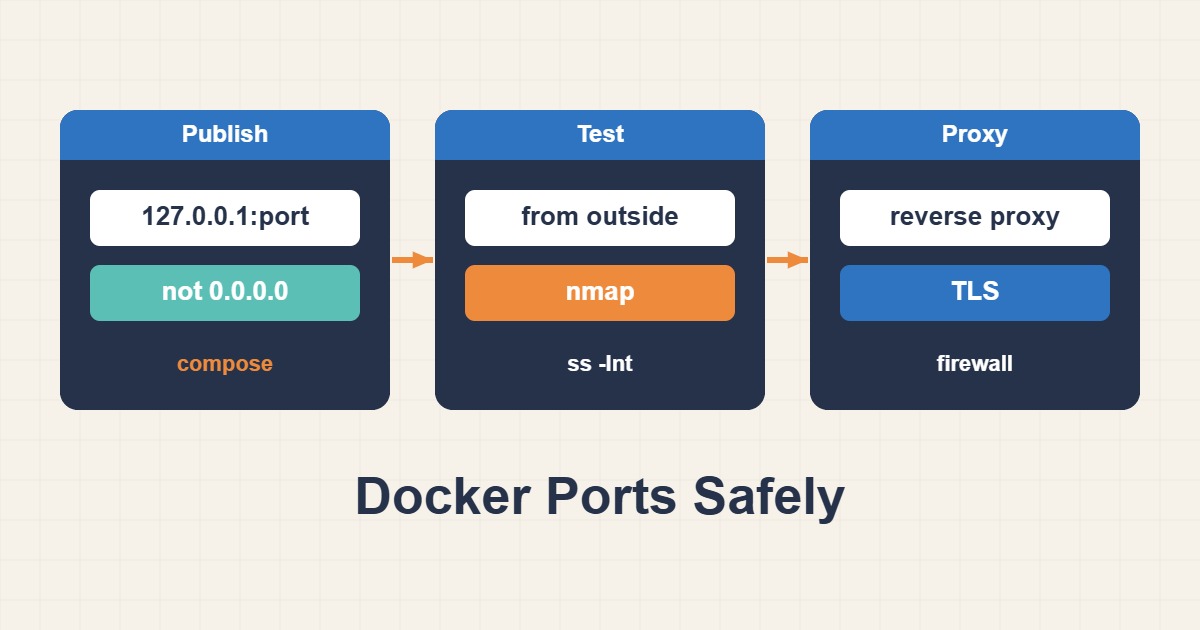
An internal dashboard can become reachable from the internet through a short Docker port mapping. Publishing without a host address normally targets all host interfaces. This guide uses an HTTP service behind a host-based reverse proxy to distinguish loopback access, container-network access and external reachability rather than treating a firewall rule or a single local test as proof of isolation.
Scope and prerequisites
The example uses a conventional bridge network and a reverse proxy running on the host. Host networking, Swarm, rootless deployments and direct-routing settings need separate analysis. Record the service name, container port, host port, Docker version and Compose file. Changing ports can recreate the container, so plan availability, persistent storage and rollback before applying it.
1. Collect evidence
Inspect the effective mapping with compose ps, docker port and inspect. 8080:80 can expose host port 8080 broadly; 127.0.0.1:8080:80 binds the IPv4 loopback address. ss is useful but may not reveal every DNAT path, so add a test from an authorized external machine and check IPv6 independently. A laptop’s localhost is not the server’s localhost.
docker version
docker compose ps
docker compose port web 80
docker inspect --format '{{json .NetworkSettings.Ports}}' CONTAINER_NAME
2. Make a controlled change
In the existing Compose service, narrow the host binding without unrelated image, volume or environment changes. The YAML below is only a fragment. The application must listen on a reachable container interface; binding to 127.0.0.1 inside the container is different from host loopback. If the reverse proxy is also a container, use the shared network and service name instead; a private backend normally needs no host-published port.
# Fragment to merge into the EXISTING service; keep its image and volumes.
services:
  web:
    ports:
      - "127.0.0.1:8080:80"
3. Acceptance checks
Validate compose config, then apply the affected service with up. Host-loopback HTTP and public HTTPS through the proxy must still work, while direct external access to the backend port must fail. Check health, application logs and persistent data as well as reachability. Use the real host address and all configured address families and routes; a successful localhost test is not enough.
docker compose config
docker compose up -d --no-deps web
# Run on the Docker host:
curl -I http://127.0.0.1:8080/
# From an authorized external machine, replace with the real host IP:
nc -vz -w 3 HOST_PUBLIC_IP 8080
# Also verify the public HTTPS route through the reverse proxy.
Common mistakes and diagnostic limits
expose does not publish a host port, but it is not an access-control boundary between containers on a shared network. Installing UFW alone does not necessarily govern Docker-published traffic; inspect forwarding, NAT and Docker rules without disabling the firewall. Docker documents a localhost-publishing issue before 28.0.0 that could allow same-L2 neighbors to reach it, making version and security maintenance important.
Rollback and prevention
If proxy access breaks, recheck topology before undoing the security boundary; host binding and application binding are different. Restore the previous Compose configuration and reapply the affected service without deleting persistent data. down -v is not a port-debugging tool. Document mappings, expected reachability and external checks in deployment reviews, then repeat them after network changes.
Related reading
For the next step, read Troubleshoot Docker DNS and Service-to-Service Networking.