
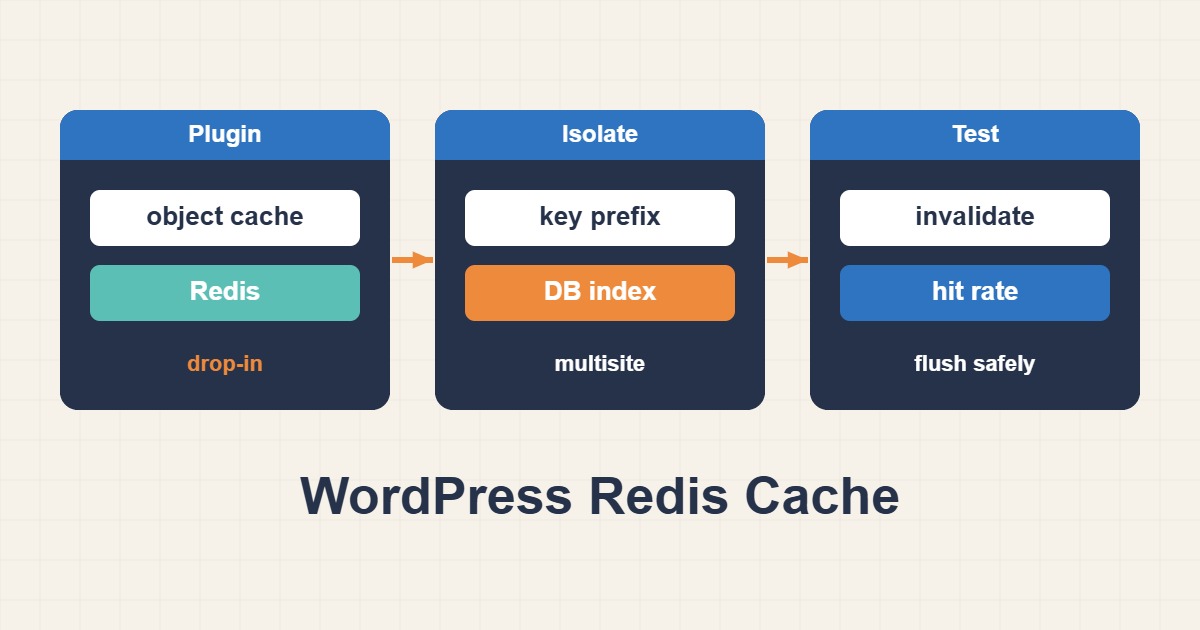
A fast anonymous page does not demonstrate that Redis is helping WordPress: full-page caching may have answered the request before PHP ran. Object caching stores reusable application data rather than an entire rendered page. Verify connection, cross-request persistence, site isolation and invalidation separately before interpreting performance results.
Scope and connection prerequisites
WordPress’s default object cache is non-persistent: data usually lasts only for the current request. Persistent caching requires a supported integration and an object-cache.php drop-in. The examples target the Redis Object Cache plugin and must not be mixed blindly with another plugin’s existing drop-in.
Start in staging with a configuration backup. Keep Redis off an unrestricted public port and use private networking or a Unix socket, authentication/ACLs and limited access. An active plugin or a Redis PONG does not prove that WordPress web requests use the intended connection.
1. Verify PHP connectivity and namespace
Check plugin diagnostics and wp_using_ext_object_cache(). CLI PHP can use different extensions or environment variables from PHP-FPM, so compare CLI findings with web diagnostics for the same installation. Distinguish authentication, socket-permission, timeout and database-selection errors.
Assign a distinct prefix to every site and environment. A prefix prevents key collisions, but is not an independent security boundary. Database four below is only an example for standalone Redis and must be confirmed unused or intentionally dedicated. Redis Cluster does not support non-zero logical databases; use a topology-compatible configuration instead.
# Read-only checks; run from the intended WordPress directory.
wp eval 'var_export( wp_using_ext_object_cache() );'
# Only if Redis Object Cache is the installed integration:
wp redis status
Example wp-config.php configuration
// wp-config.php fragment, before WordPress loads.
// Standalone Redis example: review database ownership first.
define('WP_REDIS_HOST', '127.0.0.1');
define('WP_REDIS_PORT', 6379);
define('WP_REDIS_DATABASE', 4);
define('WP_REDIS_PREFIX', 'example-com:staging:');
// Configure authentication through your approved secret mechanism.
2. Test persistence across requests
In staging, write a short-lived marker with WordPress’s cache API and read it in a separate invocation. This example uses a sixty-second diagnostic key and deletes that key afterward; it never flushes a database. The expected read is ok while the TTL remains valid and the environment and namespace are unchanged.
If the marker is missing, check the drop-in connection, PHP environment, prefix and selected database before increasing maxmemory. This CLI test proves only the CLI path. Verify web behavior with supported plugin diagnostics and controlled web requests rather than exposing a public diagnostic endpoint.
wp eval 'wp_cache_set("r89_probe", "ok", "r89_diagnostics", 60);'
wp eval 'var_export(wp_cache_get("r89_probe", "r89_diagnostics"));'
wp eval 'wp_cache_delete("r89_probe", "r89_diagnostics");'
3. Measure correctness separately from speed
Update a test post through normal WordPress APIs, then compare responses with page-cache behavior controlled. Logged-in user data, another site and production must not collide with the staging namespace. Invalidation depends on the integration and application APIs; direct SQL changes can bypass those paths.
Compare cold and warm requests with the same URL, identity and similar load. Record TTFB, query counts, Redis time and errors across multiple runs. Server-wide Redis hit/miss counters are not necessarily one site’s statistics. Caching should not conceal inefficient database design; investigate expensive queries independently.
Flush risks, rollback and acceptance
Do not use FLUSHALL or FLUSHDB as routine stale-data treatment. In multisite with a persistent cache, even wp cache flush may clear caches for every site and trigger a database load spike. Check integration behavior and database ownership before any purge; a prefix alone does not prevent a database-wide flush.
For rollback, disable only the integration that owns the drop-in using its documented procedure. Do not delete another plugin’s object-cache.php. Preserve prior connection settings and never alter the authoritative application database. Acceptance requires clean connectivity, marker persistence, correct invalidation, site isolation and documented behavior during Redis unavailability; faster responses alone are insufficient.
Related reading
- Choose Redis maxmemory and Eviction Policies Safely
- Fix Redis MISCONF and RDB Snapshot Failures
- Read MySQL EXPLAIN ANALYZE and Choose Useful Indexes