
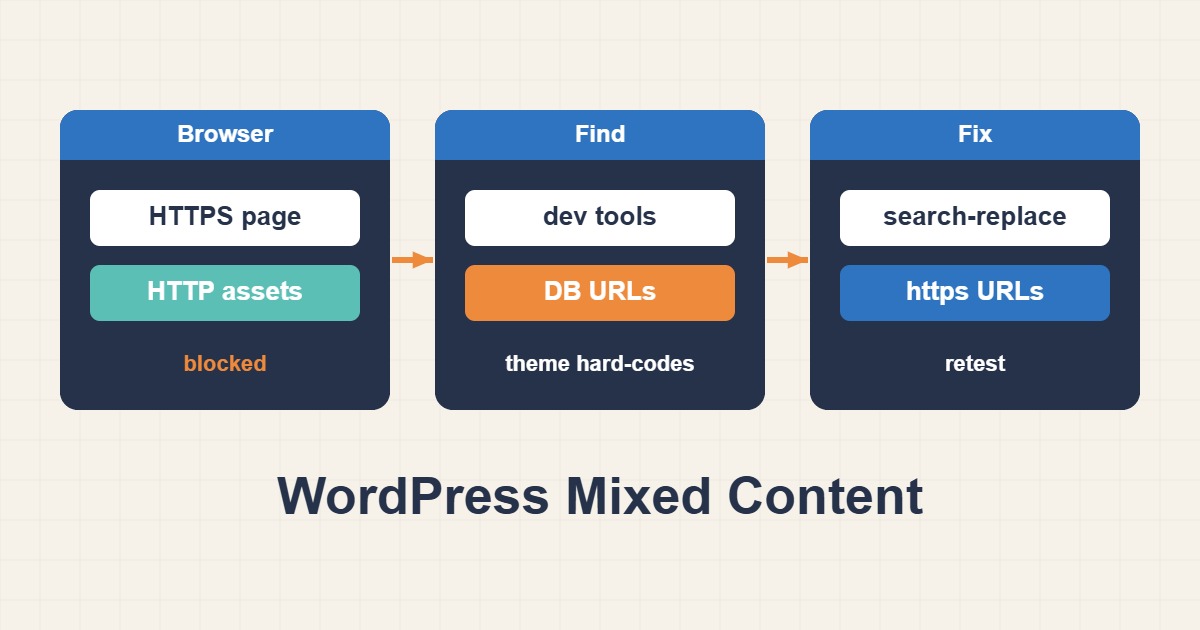
Mixed content after a WordPress HTTPS migration means a secure page still loads an image, stylesheet, script, font, or iframe over HTTP. The durable fix is to locate the URL source and correct the database, theme, or service instead of hiding the browser warning.
Locate the exact insecure request
Use the browser Console and Network panel, filter for http://, and inspect the initiator. It reveals whether the URL came from post content, CSS, a plugin, or a third-party service.
curl -s https://example.com/page/ | grep -o 'http://[^" ]*'Verify WordPress URL settings
WordPress Address and Site Address should use HTTPS. Behind a reverse proxy, pass and interpret X-Forwarded-Proto correctly to avoid redirect loops.
wp option get home
wp option get siteurl
wp option update home 'https://example.com'
wp option update siteurl 'https://example.com'
Replace database URLs safely
Take a backup and run a dry run first. WP-CLI search-replace handles serialized WordPress data more safely than direct SQL replacement.
wp search-replace 'http://example.com' 'https://example.com' --all-tables-with-prefix --precise --dry-run
wp search-replace 'http://example.com' 'https://example.com' --all-tables-with-prefix --precise
Fix themes, CSS, and external services
Replace hard-coded URLs in theme files and custom CSS with HTTPS. Remove or self-host a third-party asset when its provider does not support HTTPS.
Purge caches and verify runtime requests
Purge only affected page and CDN caches, then inspect the rendered HTML and runtime requests again. Confirm one direct HTTP-to-HTTPS redirect.
Mixed-content checklist
- Identify each HTTP request and its initiator.
- Confirm home and siteurl use HTTPS.
- Back up and dry-run search-replace.
- Inspect theme files and custom CSS.
- Purge affected caches and retest.
Frequently asked questions
Is an SSL plugin enough?
It may rewrite URLs at runtime, but correcting the original database or template value is more durable.
Why is only one page affected?
The insecure URL may exist only in that post, widget, or page-specific CSS.
Is direct SQL replacement safe?
It can corrupt serialized string lengths; use a serialization-aware WordPress tool.
Related guides
Official documentation
{review}: {D}
Conclusion
Identify the cause from metrics and logs first, apply the smallest safe change, and measure the result again.