
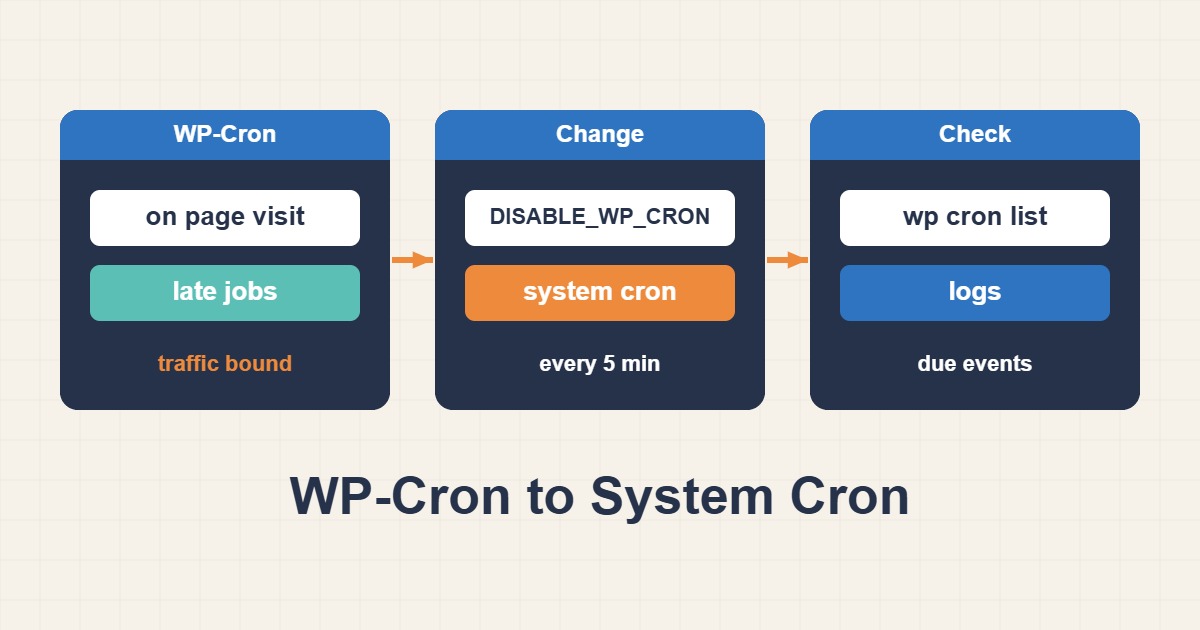
WP-Cron is not a true scheduler; it is triggered by page requests. Low-traffic sites can miss deadlines, while busy sites may launch overlapping requests and add load.
Inspect the queue first
wp cron event list --fields=hook,next_run,recurrence
wp cron test
wp cron event run --due-now
Check PHP errors, loopback requests, and the plugin that owns each hook. If manual execution works but automation does not, the trigger is usually the problem.
Disable pseudo-cron
Add this to wp-config.php:
define('DISABLE_WP_CRON', true);Then run due events every five minutes as the correct site user:
*/5 * * * * cd /var/www/example && /usr/local/bin/wp cron event run --due-now --quietVerify the WordPress path, WP-CLI/PHP binary, environment, and permissions. Multisite installations need network-aware execution.
Prevent overlap and monitor
Do not run application cron as root. Capture limited error output and monitor successful runs. Use a lock so a slow job cannot overlap the next one:
flock -n /tmp/wp-cron.lock wp cron event run --due-now --quietSchedule a test post, confirm its publication time, recheck the event queue, and alert on overdue events. Keep a rollback path: remove the constant if system cron becomes unavailable.
Short answer
WP-Cron runs when WordPress receives web traffic, so scheduled work can be late on low-traffic or fully cached sites. A reliable setup calls wp-cron.php from the system scheduler, but only after checking overdue events, loopback access, locks, and a successful manual run.
Common symptoms
- Scheduled posts, backups, or email jobs run late.
- Site Health reports a missed schedule.
- The doing_cron transient remains for an unusual period.
Likely causes
- Low traffic or aggressive full-page caching
- A firewall or Basic Auth blocking loopback requests
- A slow hook or plugin exception
Diagnostic commands and sample output
wp cron event list --fields=hook,next_run,next_run_relative --format=table
wp cron test
wp cron event run --due-now
curl -fsS https://example.com/wp-cron.php?doing_wp_cron >/dev/null
Sample:
Success: WP-Cron spawning is working as expected.
Executed the cron event successfully.
How to verify the fix
Confirm next_run advances and the due-event queue shrinks after a manual run. Review PHP and mail logs, then observe at least two normal scheduler intervals without new failures.
Risks and rollback
Back up wp-config.php. Configure and test the system Cron before defining DISABLE_WP_CRON. Roll back by removing the constant and the server scheduler entry.
Anonymized field scenario
On a low-traffic business site, nightly backups started several hours late. After measuring the queue, a five-minute system Cron replaced traffic-driven spawning and no overdue event remained during the next day.
Official references
Last reviewed: 2026-10-01