
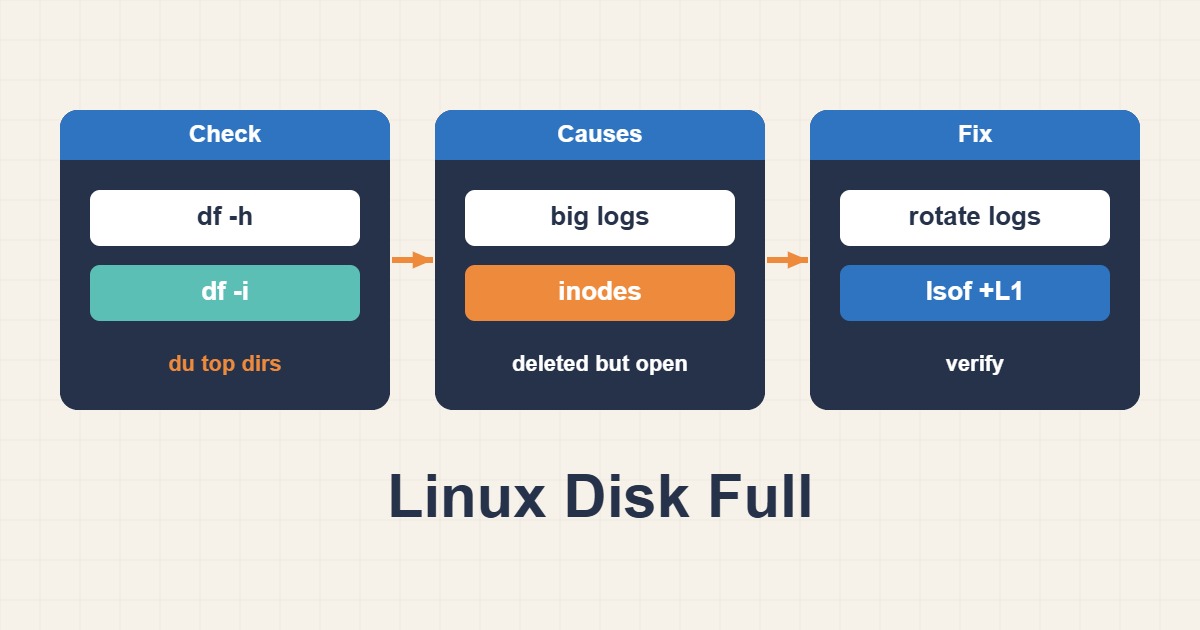
“No space left on device” does not always mean the filesystem has used every gigabyte. Inodes may be exhausted, or a deleted file may still be held open by a process. Random deletion can damage databases and services, so measure first.
Check capacity and inodes separately
df -hT
df -i
sudo du -xhd1 / | sort -h
sudo du -xhd1 /var | sort -h
df reports filesystem allocation while du sees reachable files. A large mismatch often indicates an unlinked file that remains open.
Find large files and logs
sudo find /var -xdev -type f -size +500M -printf '%s %p
' | sort -n
sudo journalctl --disk-usage
sudo lsof +L1
Identify the owning service before changing anything. Set journal retention and correct logrotate rules. Never delete database data, WAL, or transaction logs without the product’s supported procedure.
Handle inode exhaustion
Millions of cache, session, or temporary files can consume all inodes. Compare suspicious trees with find /path -xdev -type f | wc -l, then remove only files whose owner and lifecycle are understood.
Recover and prevent recurrence
- Protect critical data with a snapshot or backup.
- Stop or throttle the process causing growth.
- Rotate, compress, or vacuum logs through supported commands.
- Recheck free space and inodes.
- Alert on usage percentage, growth rate, and inode pressure.
Finally test database writes, application health, and log creation. The incident is not closed until the growth source is fixed.
Short answer
“No space left on device” can mean exhausted blocks, exhausted inodes, or deleted files still held open by a process. Check all three before deleting data. Random cleanup may remove evidence or application files while failing to release the space actually consumed by an open descriptor.
Common symptoms
- df reports a full filesystem
- df -i shows inode exhaustion despite free gigabytes
- Disk space remains used after a large log is deleted
Likely causes
- Unbounded logs, backups, or temporary files
- Millions of small cache or session files
- A deleted log still open by a running process
Diagnostic commands and sample output
df -hT
df -i
du -xhd1 /var | sort -h
lsof +L1
Sample:
COMMAND PID USER FD TYPE DEVICE SIZE/OFF NLINK NAME
nginx  221 root 4w REG  8,1    8G       0 /var/log/nginx/access.log (deleted)
How to verify the fix
Confirm both block and inode use return below the alert threshold. Restart or reopen the owning service and verify lsof +L1 no longer lists the deleted large file.
Risks and rollback
Do not delete database, journal, or package files blindly. Archive logs, validate backups, and keep the command history. Roll back by restoring required files and reverting logrotate changes.
Anonymized field scenario
A server remained 100% full after an access log was removed. lsof +L1 showed Nginx still holding the deleted file; reopening logs released the space without deleting application data.
Official references
Last reviewed: 2026-10-01