
A backup that lives only on the same server disappears when the server fails. rclone moves files to external storage and supports many storage services.
1. Initial setup
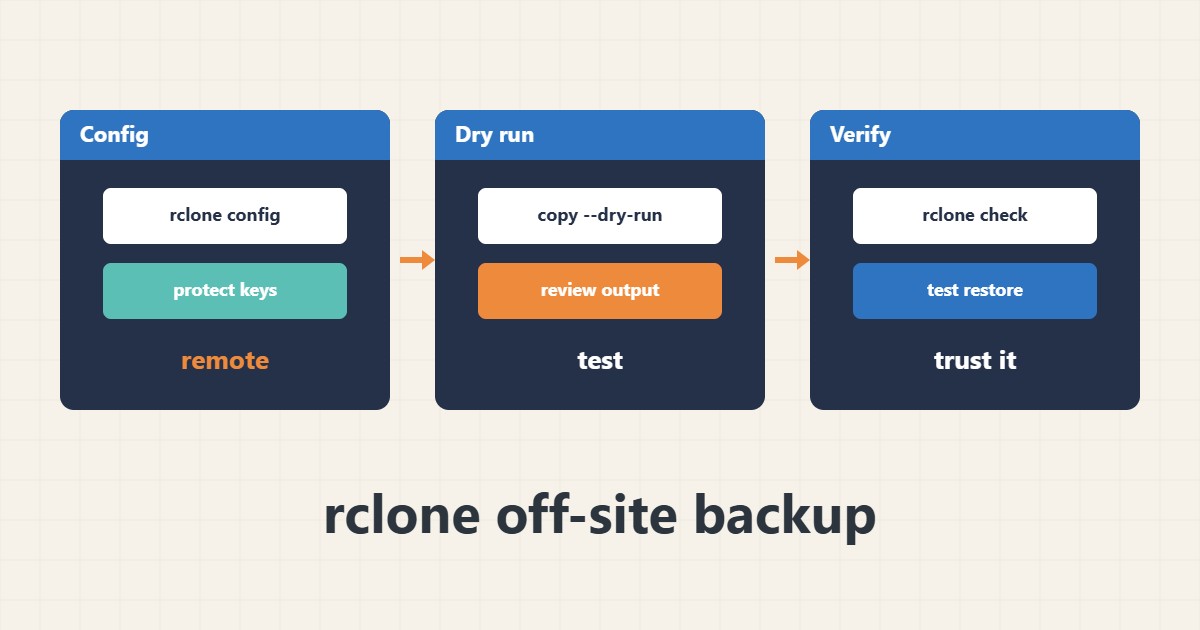
Define a remote with a name of your choice. This is interactive and stores keys in the user config file; protect that file and never put it in a repository or chat:
rclone config2. copy or sync?
copy only transfers new files to the destination, while sync makes the destination match the source and deletes extra files there. If a file is deleted by mistake at the source, sync removes it at the destination too. See what would happen with a dry run first:
rclone copy /backup remote:site-backups --dry-run -v3. Real run and verification
When you are sure, run without dry-run and compare with check:
rclone copy /backup remote:site-backups
rclone check /backup remote:site-backups
4. Illustrative example, not a measurement
Suppose (an illustrative case) the daily backup folder is 500 MB. With copy only new files move each night and the run stays short.
5. Common mistakes
- Using sync without a dry run.
- Leaving the rclone config file with open permissions.
- Never testing a restore from the off-site copy.
6. Frequently asked questions
Should I encrypt the backup? Yes for sensitive data; rclone has a crypt module.
How often should it run? After each local backup, for example from a nightly cron job.
7. Quick checklist
- Set up the remote.
- Protect the config file.
- Run with –dry-run first.
- Compare with rclone check.
- Test a restore.
If you need help reviewing performance or maintaining a server, see the server management services.
More server and WordPress guides are collected in the article archive.