
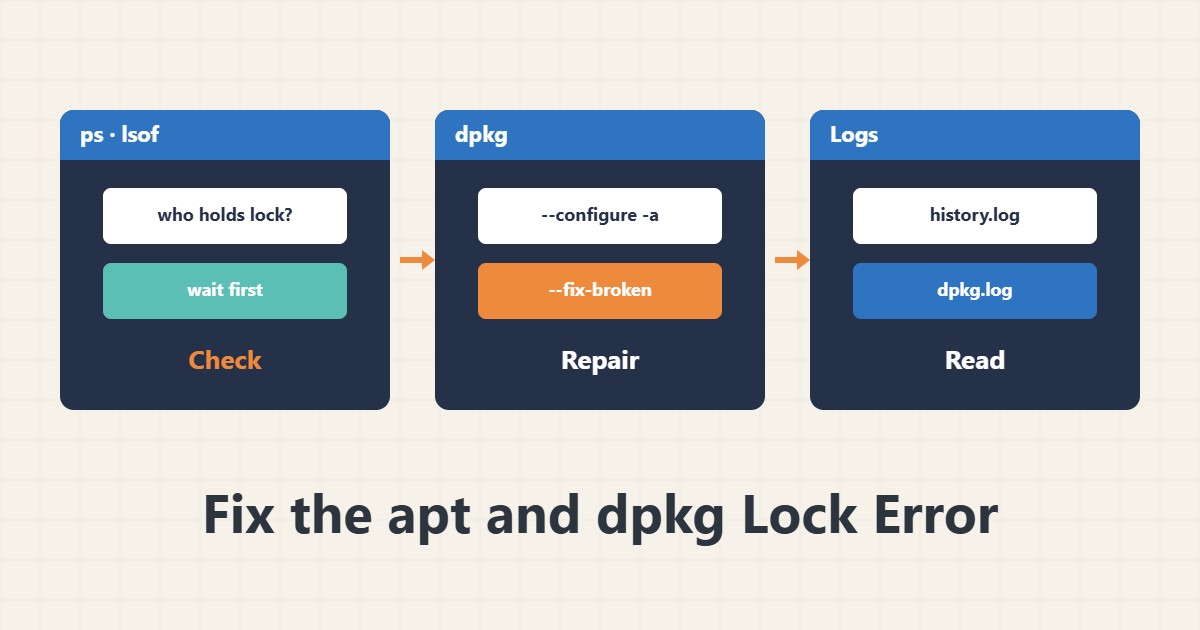
The message “Could not get lock /var/lib/dpkg/lock-frontend” usually means another process is installing, not that the system is broken. Deleting the lock file is the most common dangerous fix. This guide gives a safe order for checking and repairing.
1. First see who holds the lock
ps aux | grep -E 'apt|dpkg|unattended' | grep -v grep
sudo lsof /var/lib/dpkg/lock-frontend
Often unattended-upgrades or an earlier install is still working. Wait a few minutes and check again. Do not kill a process that is writing to the package database.
2. Resume a half-finished install
sudo dpkg --configure -a
sudo apt --fix-broken install
If an install stopped midway because of a dropped connection or closed terminal, the first command configures leftover packages and the second completes broken dependencies.
3. Only when no process exists
Only if you are sure no apt or dpkg is running and the lock is left over from an old crash should you consider removing the lock file. First check that the commands above really do not fix it. Removing a lock during an active install can corrupt the dpkg database.
4. The logs
tail -n 50 /var/log/apt/history.log
tail -n 50 /var/log/dpkg.log
These files show what was last installed or removed and where it stopped. To read service logs see journalctl.
5. After the fix
sudo apt update
sudo apt full-upgrade --dry-run
Read the simulation before a real upgrade. If an important service depends on a package, check it after the upgrade with systemd.
6. Illustrative example, not a measurement
Suppose an upgrade stopped halfway when SSH dropped and apt reported a lock error. ps showed no active process; dpkg –configure -a followed by apt –fix-broken install fixed it without deleting any file by hand. This scenario is an invented illustration, not a measurement.
7. Common mistakes
- Deleting the lock file without checking processes.
- Killing a dpkg that is installing.
- Reinstalling repeatedly without reading the error.
- Running upgrade without a dry run on an important server.
8. Frequently asked questions
Why do I get a lock error right after boot? unattended-upgrades may be busy in the background; wait a little.
Is dpkg –configure -a dangerous? Usually not; it only finishes half-configured packages.
What if the error persists? Read the full text in the apt log and identify the problem package.
9. Quick checklist
- apt and dpkg processes were checked.
- I waited a few minutes.
- dpkg –configure -a ran.
- apt –fix-broken install ran.
- Logs and a dry run were reviewed.
If you need help reviewing performance or maintaining a server, see the server management services.
More server and WordPress guides are collected in the article archive.