
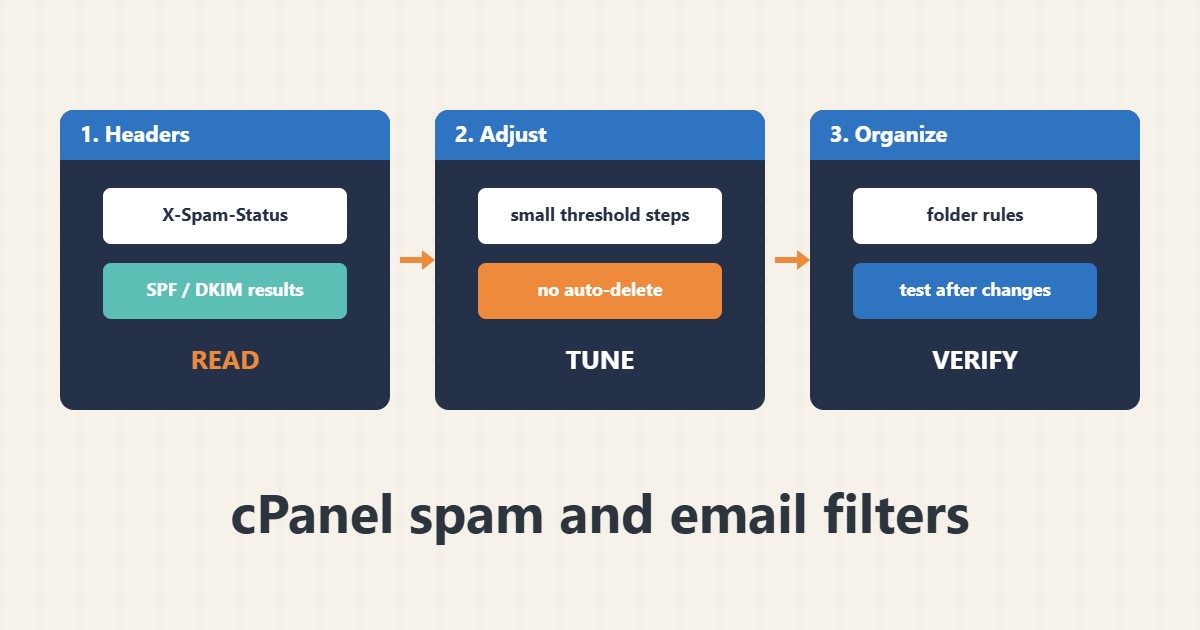
Spam filtering is a balance: too weak and the inbox fills with junk, too strict and real mail disappears. cPanel offers a spam filter based on SpamAssassin scoring and rule-based email filters. The safest approach is to read why a message was scored, fix authentication problems first, then adjust the filter gently and avoid deleting automatically. Menu names are from my knowledge of cPanel and vary by version and host; I did not run these steps on your account.
1. Read the headers first
A filtered message carries headers that show its score and the tests that fired. They tell you why it was treated as spam:
X-Spam-Status: Yes, score=6.4 required=5.0 tests=HTML_MESSAGE,SPF_FAIL,URIBL_BLOCKED
X-Spam-Score: 6.4
Authentication-Results: spf=fail dkim=none dmarc=fail
Failures of SPF or DKIM often explain it better than the content does.
2. Check the sender’s DNS and your own
If real mail from a business partner fails authentication, ask them to fix their records. Check your own domain too:
# Check what the domain publishes before blaming the filter
dig +short TXT example.com | grep -i spf
dig +short TXT _dmarc.example.com
# Look at the headers of a wrongly filtered message
# Search for: X-Spam-Status, X-Spam-Score, Authentication-Results
See the Cloudflare guide if your DNS runs there, and compare resolvers as in the dig guide when records look inconsistent.
3. Adjust the spam filter gently
In the spam filter settings, raise or lower the threshold in small steps and keep spam in a spam box instead of deleting it. Allow-list a single address rather than a domain when you need an exception.
4. Use email filters for organization
Filters can move newsletters and notifications into folders so the inbox stays readable:
Filter name: Move newsletters
Rule: From contains news@example-vendor.test
Action: Deliver to folder INBOX.Newsletters

Filter name: Discard obvious junk
Rule: Subject contains [ADVERT]
Action: Discard   # use with care; prefer a folder first
Prefer folders over discard rules. For delivery problems on the sending side see the cPanel mail troubleshooting guide in the archive.
5. Test every change
After each change, send test mail from another provider and check where it lands:
# Test: send mail from another provider, then check
# 1) Is it in the inbox, spam box or missing?
# 2) Do the headers show a spam score and the tests that fired?
# 3) Adjust the threshold or add an allow rule, then retest
Keep backups of mail before bulk changes; see the cPanel backup guide.
6. Mistakes to avoid
These settings lose real mail:
Very low spam score threshold            # real mail lands in the spam box
Auto-delete high-scoring mail            # real mail is lost silently
Allow-listing a whole domain             # spoofers get through
Blaming the filter when SPF/DKIM fail    # fix the sender's DNS first
Review the spam folder periodically for the first weeks.
7. Illustrative example, not a measurement
Imagine a small shop (made-up) whose supplier invoices land in spam. The headers show SPF failing because the supplier changed their mail service without updating DNS. After the supplier fixes the record, the invoices arrive normally, and the shop keeps a folder rule for newsletters instead of lowering the global threshold.
8. Common mistakes
- Setting the threshold too low.
- Auto-deleting high-scoring mail.
- Allow-listing whole domains.
- Ignoring SPF and DKIM failures.
- Changing many settings at once.
- Never checking the spam folder.
9. Frequently asked questions
What is the spam score? A number built from rules that matched; higher means more likely spam.
Should I enable auto-delete? Rarely; keeping spam in a folder is safer.
Why does real mail go to spam? Often failed authentication, a poor sender reputation or spammy content.
Can filters fix spoofing? Not alone; SPF, DKIM and DMARC matter.
10. Quick checklist
- Read the spam headers.
- Check SPF and DKIM.
- Adjust the threshold slowly.
- Keep a spam folder.
- Use folder rules for newsletters.
- Test after each change.
- Review the spam folder.
If you need help reviewing performance or maintaining a server, see the server management services.
More server and WordPress guides are collected in the article archive.
Official references
cPanel: Spam Filters · cPanel: Email Filters · Apache SpamAssassin documentation · cPanel: Email Deliverability