
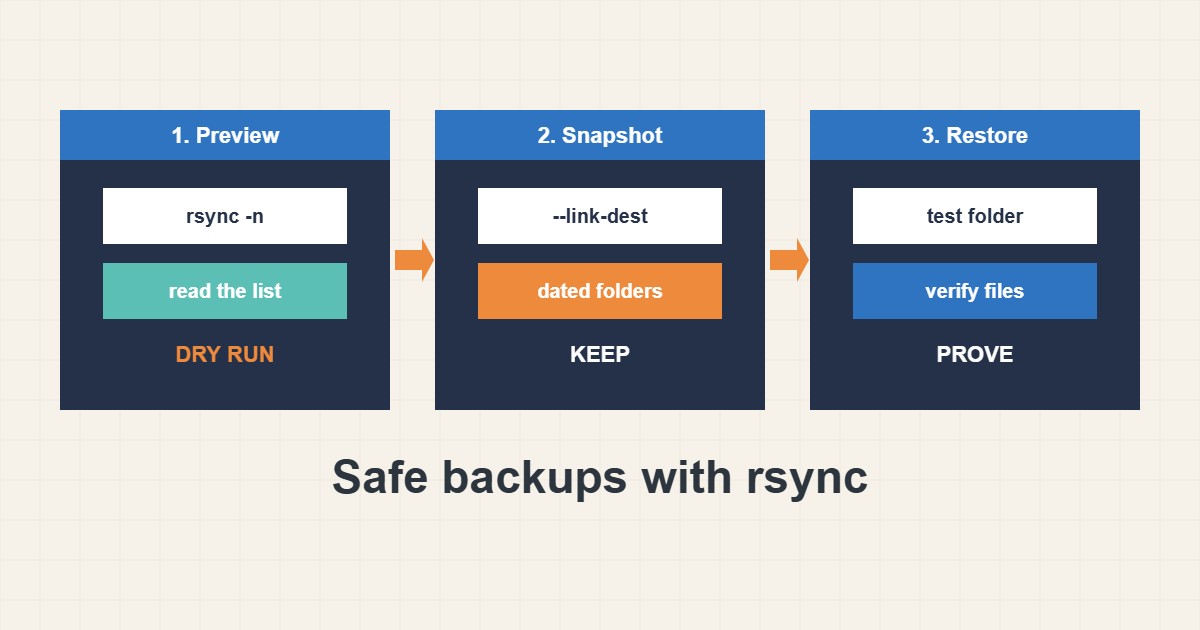
rsync is simple and powerful, which is exactly why it can hurt: a missing slash or a stray –delete can remove the wrong files. This guide shows a safe pattern for backing up a website or folder: always do a dry run first, understand the trailing slash, keep dated snapshots with hard links and test a restore. The commands are standard rsync usage, but I did not run them on your server, so try them on a test folder first.
1. Understand the trailing slash
With rsync, /var/www/site/ means “the contents of the folder” while /var/www/site means “the folder itself”. That one character changes where files land:
rsync -av --delete /var/www/site /backups/site/     # no trailing slash: creates /backups/site/site
rsync -av --delete /var/www/site/ /backups/site        # typo in target can delete the wrong folder
Decide which behavior you want and keep the source and target written the same way every time.
2. Always dry-run first
The -n (or --dry-run) flag lists what would happen without copying or deleting anything. This matters most with --delete, which removes files in the target that no longer exist in the source:
# Dry run first: shows what would change, copies nothing
rsync -avhn --delete /var/www/site/ backup@backup.example.com:/backups/site/

# Real run
rsync -avh --delete /var/www/site/ backup@backup.example.com:/backups/site/
Read the list. If it is longer than you expect, stop and check the paths.
3. Keep dated snapshots with hard links
A single mirror is overwritten each time, so a mistake or ransomware can be copied into your only backup. Dated snapshots with --link-dest keep history, and unchanged files are hard links that use no extra space:
# Dated snapshots with hard links (unchanged files take no extra space)
TODAY=$(date +%F)
rsync -avh --delete --link-dest=/backups/site/latest /var/www/site/ /backups/site/$TODAY/
ln -sfn /backups/site/$TODAY /backups/site/latest
Delete old snapshot folders on a schedule you choose. Compare with the application-level approach in the cPanel backup guide.
4. Exclude noise and verify
Exclude caches and logs you can rebuild. Compare checksums on a dry run to confirm the copy matches, and look at sizes and the latest link:
rsync -avh --exclude 'cache/' --exclude '*.log' /var/www/site/ /backups/site/
rsync -avhc --dry-run /var/www/site/ /backups/site/ | head
du -sh /backups/site/* | tail -n 3
ls -l /backups/site/latest/
Back up the database separately with a dump, because copying live database files is not a reliable backup.
5. Automate and test a restore
Run the job from a scheduler with a lock so two runs never overlap and write the output to a log; see the systemd timers guide. Use an SSH key limited to the backup user. Most importantly, restore into a test folder now and then. A backup you never restored is only a hope.
6. Illustrative example, not a measurement
Imagine a nightly job (made-up) that mirrors a site with –delete. One night the source folder is empty because a mount failed, and the mirror becomes empty too. With dated snapshots, yesterday’s snapshot still exists and the data is recoverable. A dry run in the script that aborts when too many files would be deleted would have prevented even that.
7. Common mistakes
- Forgetting the trailing slash rule.
- Using –delete without a dry run.
- Keeping only one mirror and no history.
- Backing up live database files.
- Never testing a restore.
- Allowing overlapping runs.
8. Frequently asked questions
Is rsync a backup by itself? It is a copy tool. With snapshots, off-server storage and restore tests it becomes a backup.
What does –link-dest do? It hard-links unchanged files to the previous snapshot, so each snapshot looks complete but uses little extra space.
Should I use –delete? Only after a dry run, and ideally with snapshots so a mistake is recoverable.
Can rsync back up to another server? Yes, over SSH. Use a dedicated user and key.
9. Quick checklist
- Write source and target with consistent slashes.
- Run a dry run.
- Read the list of changes.
- Use dated snapshots.
- Exclude caches and logs.
- Dump the database separately.
- Test a restore.
If you need help reviewing performance or maintaining a server, see the server management services.
More server and WordPress guides are collected in the article archive.
Official references
rsync manual page · rsync documentation · ssh(1) manual · flock(1) manual