
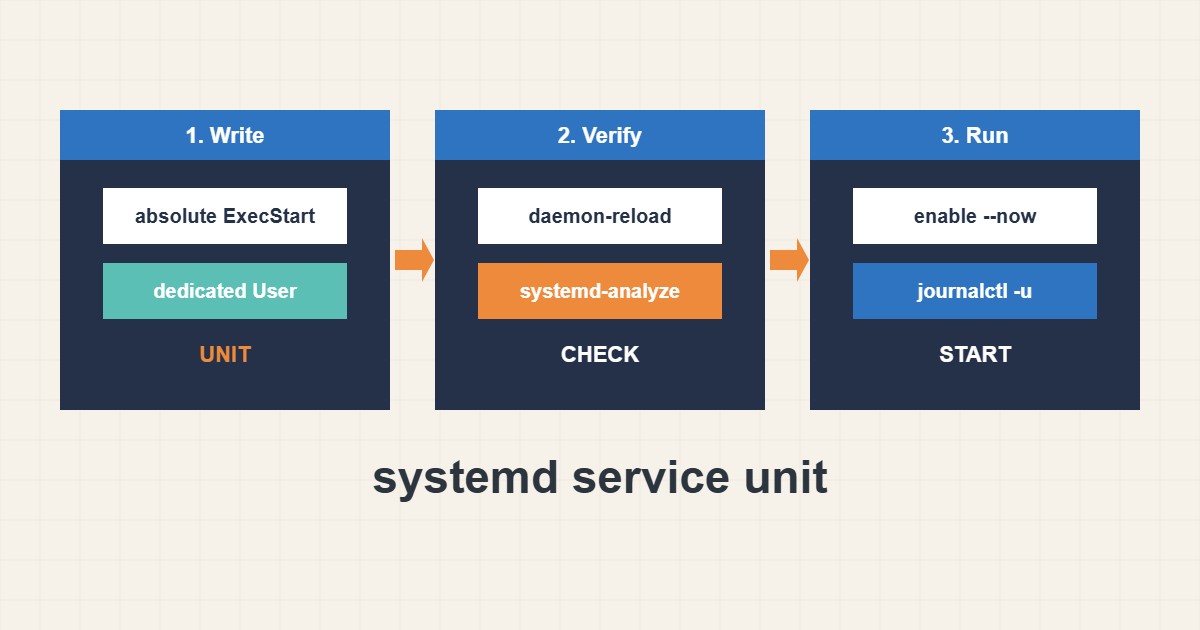
Running an app from a terminal or a screen session stops when you log out or the server reboots. A systemd service fixes that: it starts the app at boot, restarts it after a crash, runs it as a limited user and sends its output to the journal. This guide builds a small, safe unit file, shows how to load and verify it, and lists the mistakes that cause “it works by hand but not as a service”.
1. A minimal unit file
Create a dedicated user first, then a unit file in /etc/systemd/system/. The example below runs a Node app, but the structure fits any program:
# /etc/systemd/system/myapp.service
[Unit]
Description=My web app
After=network-online.target
Wants=network-online.target

[Service]
Type=simple
User=myapp
Group=myapp
WorkingDirectory=/opt/myapp
EnvironmentFile=/etc/myapp.env
ExecStart=/usr/bin/node /opt/myapp/server.js
Restart=on-failure
RestartSec=5
NoNewPrivileges=true
PrivateTmp=true

[Install]
WantedBy=multi-user.target
Always use absolute paths in ExecStart, because systemd does not use your shell’s PATH. Keep secrets in the environment file with restrictive permissions, not in the unit.
2. Load, verify and start
After every change to a unit file, reload systemd so it re-reads the files. Then verify the syntax before starting:
sudo systemctl daemon-reload
sudo systemd-analyze verify /etc/systemd/system/myapp.service
sudo systemctl enable --now myapp
systemctl status myapp --no-pager
enable --now starts the service immediately and at every boot.
3. Read logs and state
The journal collects standard output and errors, so you do not need your own log file for simple cases:
journalctl -u myapp -n 50 --no-pager
journalctl -u myapp -f
systemctl show myapp -p ExecMainStatus -p NRestarts
sudo systemctl cat myapp
The restart counter helps you notice a crash loop that would otherwise look like a healthy service.
4. Restart policy and dependencies
Restart=on-failure restarts after a crash but not after a clean stop. Add RestartSec so a broken app does not hammer the CPU. Use After= and Wants= for real dependencies such as the network or a database. If your app waits for a database, make it retry on its own rather than relying on start order alone. To schedule tasks instead of long-running services, see the systemd timers guide.
5. Common mistakes
Typical errors are shown below. Fixing them solves most failures that appear only under systemd:
ExecStart=node server.js      # relative path, may not be found
User=root                    # runs everything as root
Restart=always               # hides a crash loop without RestartSec
Also check the working directory, file ownership and that the user can read the application files. Environment variables set in your shell are not present in the service.
6. Illustrative example, not a measurement
Imagine an app (made-up) that works with node server.js in a terminal but fails as a service. The journal shows “node: command not found” because the unit used a relative command. Changing it to the absolute path and running daemon-reload fixes it. A second restart loop turns out to be a missing environment file, visible in the status output.
7. Common mistakes
- Forgetting daemon-reload after editing the unit.
- Using relative paths in ExecStart.
- Running the service as root without need.
- Putting secrets directly in the unit file.
- Restart=always without RestartSec.
- Assuming shell environment variables exist.
8. Frequently asked questions
Where do I put my own unit files? In /etc/systemd/system/. Packages use /usr/lib/systemd/system/.
How do I see why it failed? Run systemctl status and journalctl -u with the unit name.
What is the difference between enable and start? Start runs it now. Enable makes it start at boot. enable –now does both.
Can I change a packaged unit safely? Use systemctl edit to create a drop-in override instead of editing the original.
9. Quick checklist
- Create a dedicated user.
- Write the unit with absolute paths.
- Run daemon-reload.
- Run systemd-analyze verify.
- Enable and start the service.
- Check status and journal.
- Test a reboot or a forced crash.
If you need help reviewing performance or maintaining a server, see the server management services.
More server and WordPress guides are collected in the article archive.
Official references
systemd.service manual · systemd.unit manual · systemd-analyze manual · journalctl manual